
Cashier and accounting software for shops in Iraq. Works offline.
Dashing brings point of sale, inventory and double-entry accounting into one system. Every sale updates your stock and the customer's balance and posts its accounting entry automatically. Each morning, Dash, the built-in assistant, tells you what you sold yesterday and what needs your decision today. It runs on any phone or computer, in Arabic, Kurdish or English.
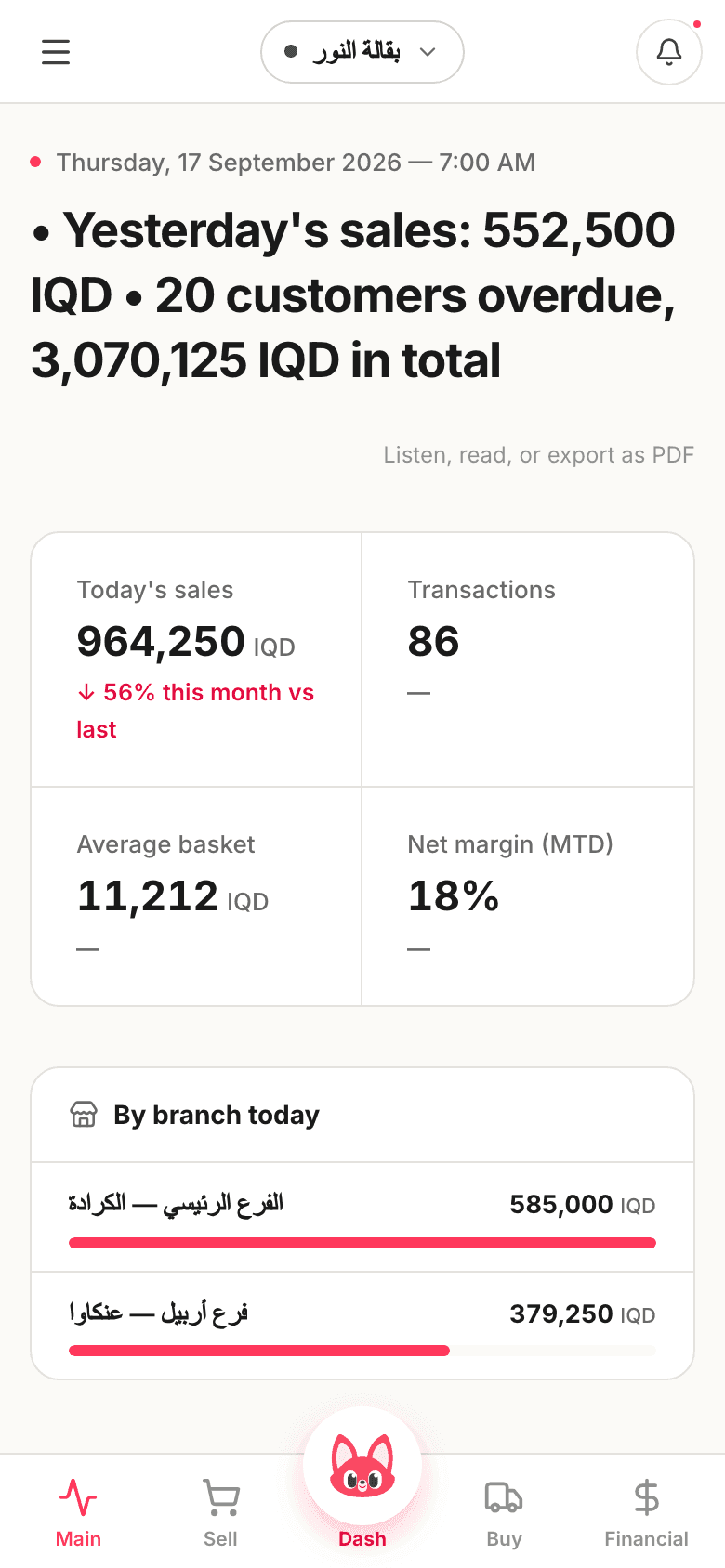
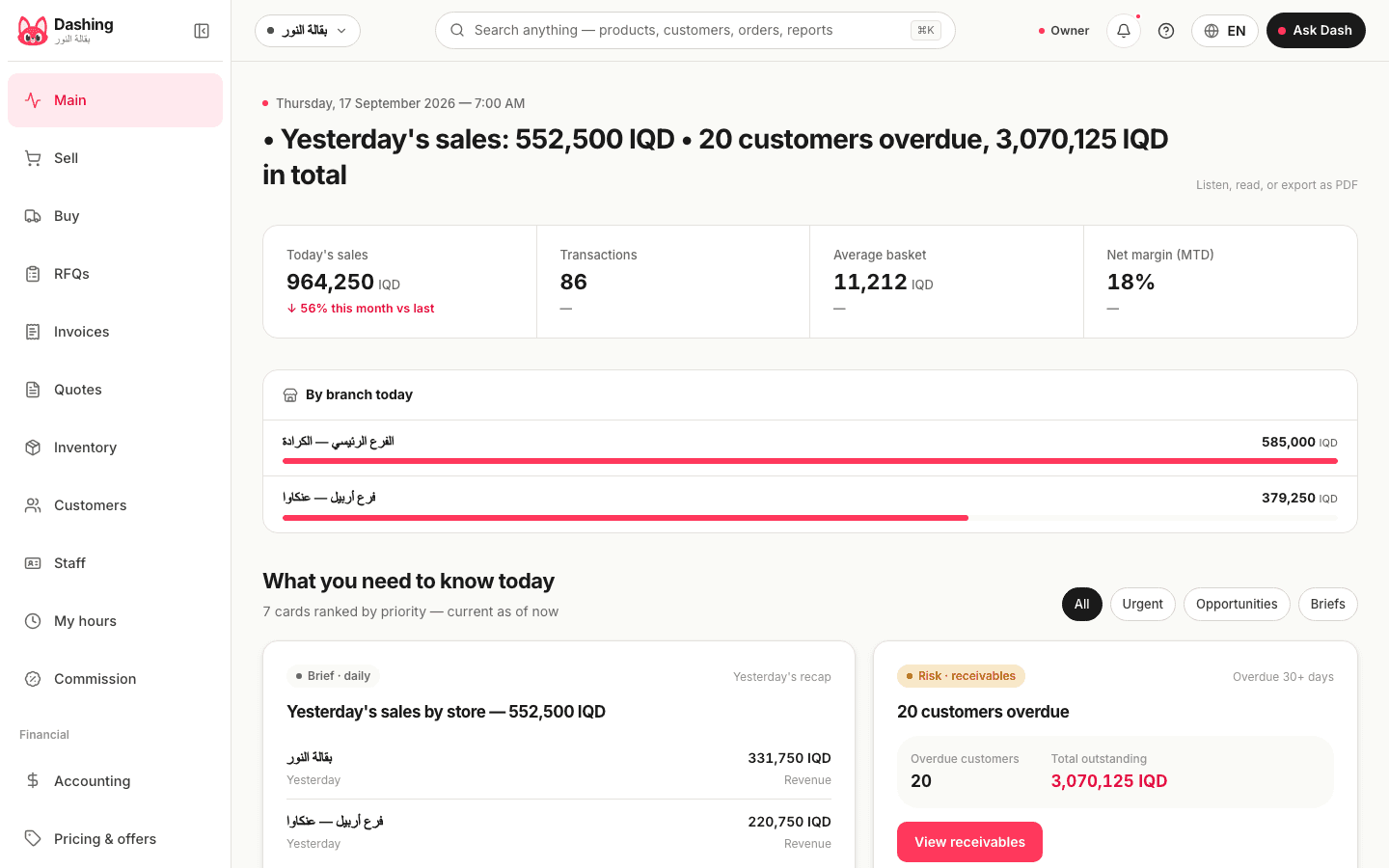
This is what the home screen shows on an ordinary morning.
Yesterday's sales came to 824,750 dinars: 447,000 at the Karrada branch and 377,750 at Ankawa. 20 customers are more than 30 days overdue and owe 2,632,750 dinars; one tap opens their list. Gross margin over the last 7 days is 25%. And 13 items sell well but below the shop's average margin, starting with Basmati rice 5 kg at 21%.
Two principles behind every screen in Dashing.
Every number comes with a reason and a next step
Each card on the home screen shows a figure, the reason behind it, and a button that takes you straight to the screen where you act on it. The receivables card, for example, shows how many customers are overdue and how much they owe, and opens their list; the margin card opens the reports. Cards are re-ranked every morning: risks first, then opportunities, then what you only need to know.
Dash suggests, you decide
Ask Dash to change a price or record a payment and it shows you the change first and waits. Nothing happens until you press Approve, and the audit log records who approved it and when. If you ask for a figure that is not in your data, Dash tells you rather than guessing. The free plan allows 10 messages an hour; the yearly plan, 100.
The three screens a shop spends its day on.
The home screen opens with one line about yesterday.
At the top, the morning brief: yesterday's sales in dinars, how many items are low on stock, how many customers are late and what they owe, and any drawer that closed short. Below it the cards, in the same order every day: risks, then opportunities, then what is only for your information. The brief is written on the server in the morning, so it needs a connection to reach you.
- Ask Dash in Arabic, Kurdish or English: "how much did I sell yesterday?", "who has not paid for a month?", "what is about to run out?"
- Answers come straight from your own numbers. If a figure is not there, Dash says so
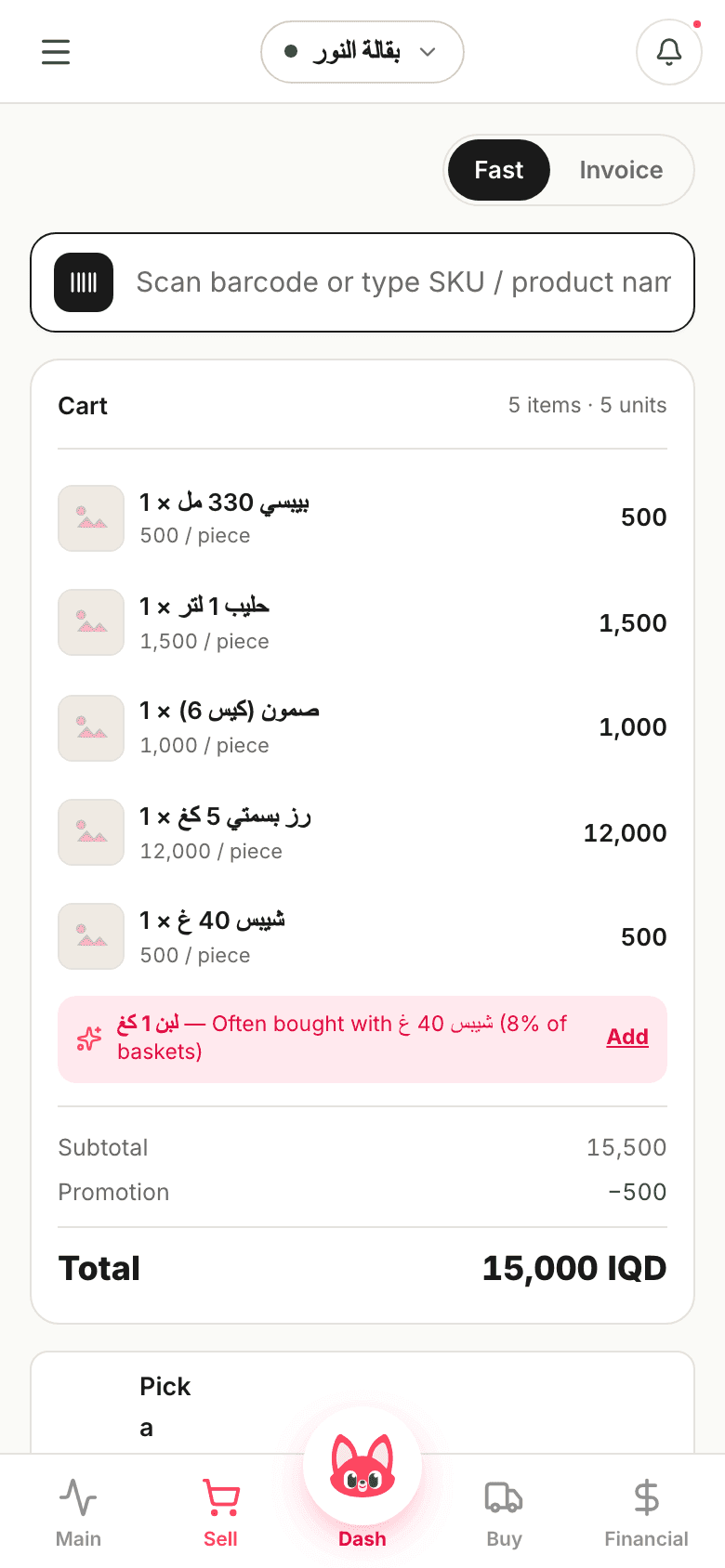
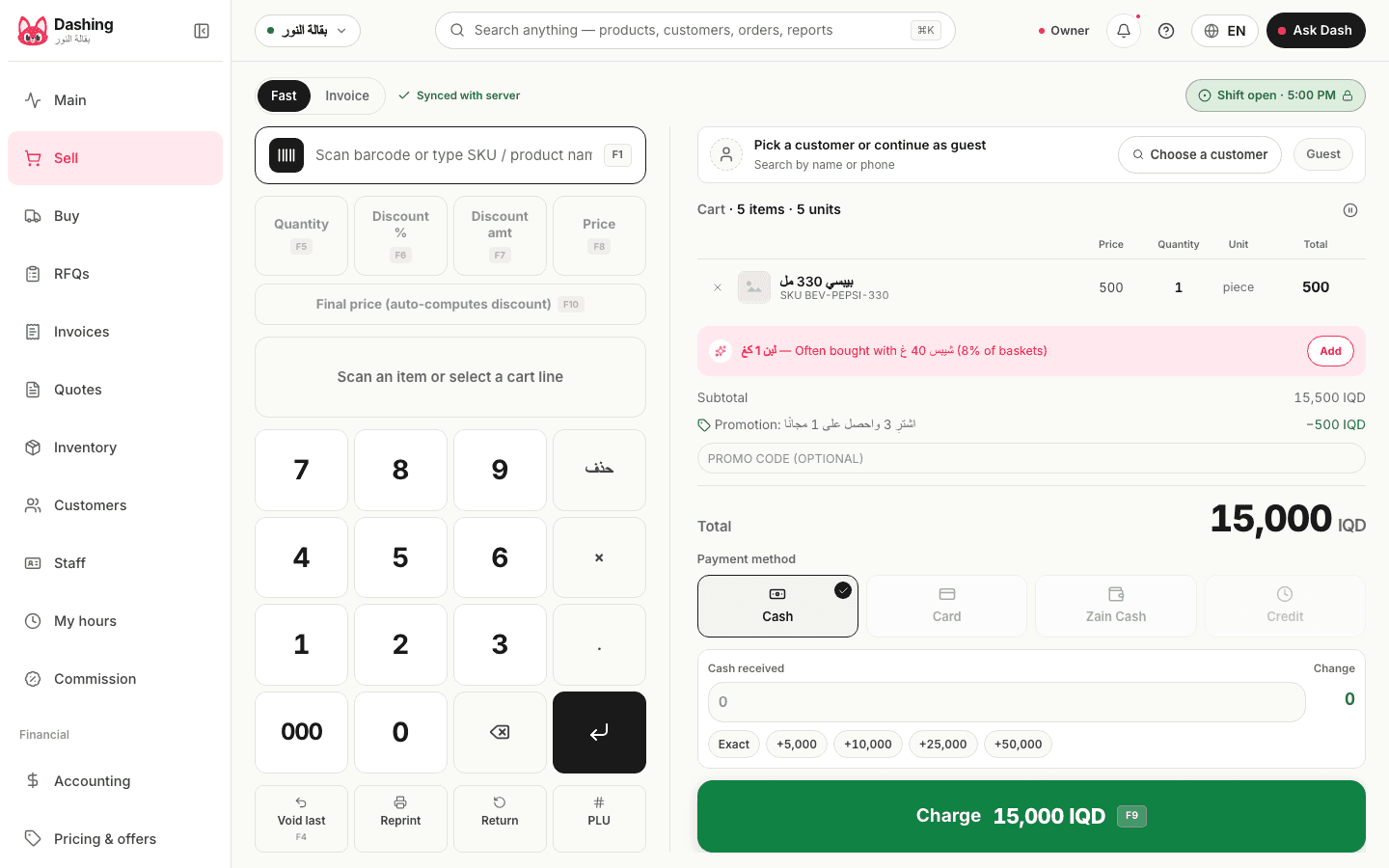
Sell by scanning a barcode or tapping the grid, with or without internet.
The cart in one column with a total you can read from the other side of the counter, and a number pad for the quantity and the discount; a price is changed on the same pad. Hold a sale while the customer goes for cash and finish it afterwards. Print an 80 mm receipt straight from the browser, or send it as a WhatsApp link that stays valid for a year. Scales are not connected: a weight is typed in.
- When the internet drops, every sale is saved on the device and uploaded automatically when the connection returns. No sale is ever recorded twice
- F1 to F5 shortcuts for the most common actions, and any USB or Bluetooth barcode scanner works immediately, with no driver to install
- "Often bought with…" suggestions are calculated from your own sales
- Returns with or without a receipt, refunded in cash or as store credit. A return without a receipt requires permission and is logged under the name of the person who approved it
The books are written by the sale itself.
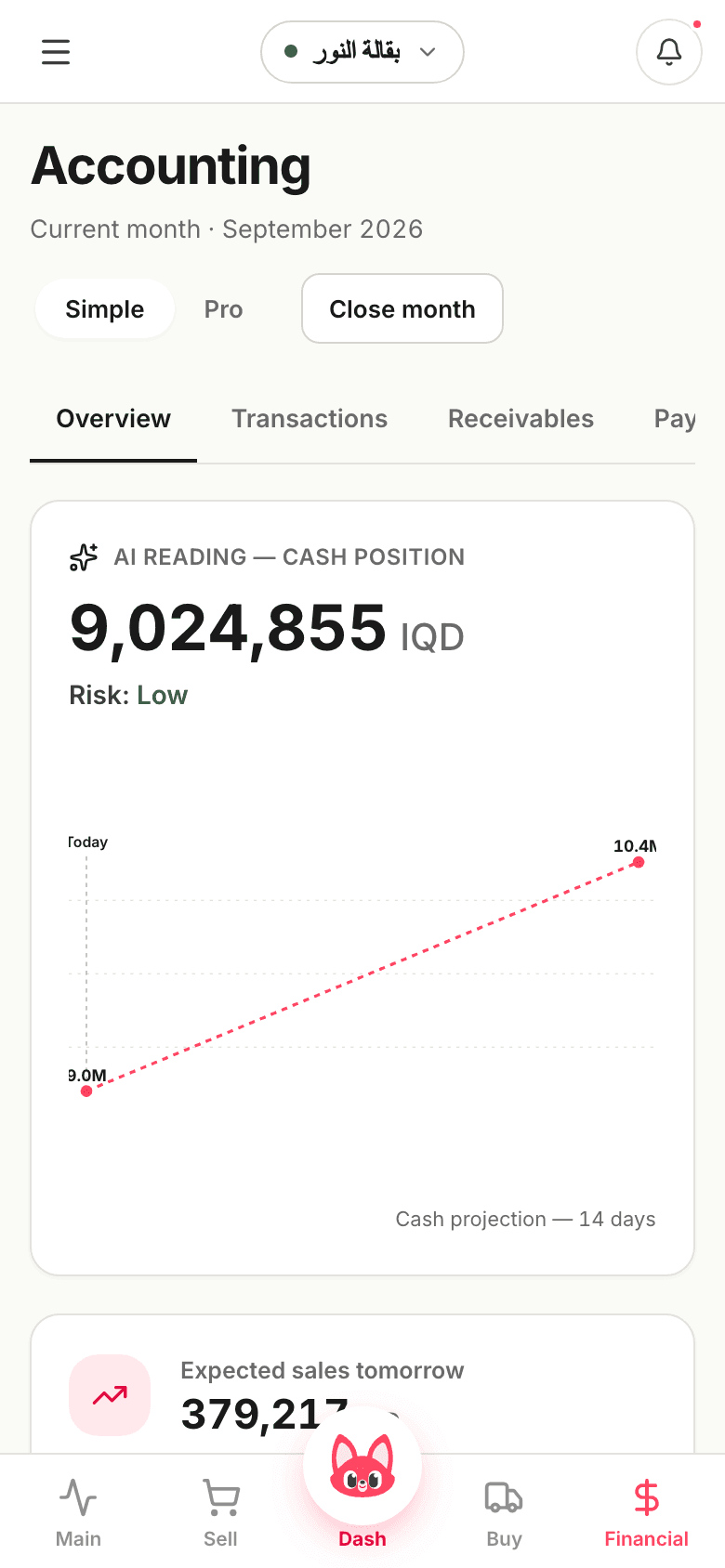
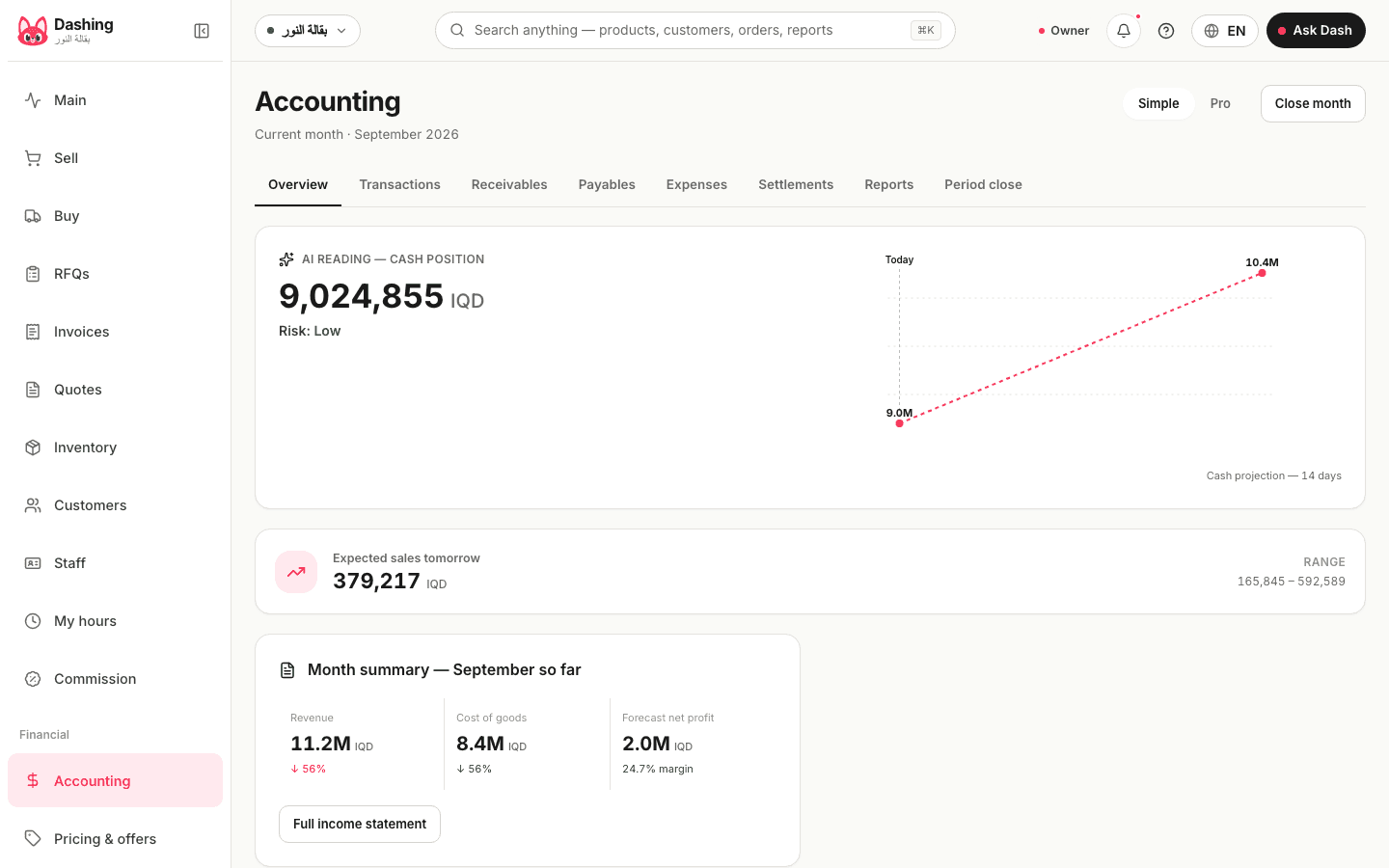
Every sale, purchase and expense becomes a balanced double entry at that moment; the database refuses to save an unbalanced one. You see cash, and what customers owe, in plain sentences; your accountant finds the journal, the trial balance and the statements in the same Accounting section. In the sample shop on the morning of 15 September 2026: cash 8,598,810 dinars, and the 14-day projection 9,900,585, between 9,225,091 and 10,576,079.
- A 14-day cash forecast with a high and a low range, based on recent sales and expenses
- A customer's statement goes out as a WhatsApp link valid for 30 days, and their balance updates the moment a payment is recorded
- Record an expense from your phone with a photo of the receipt. Financial reports need an internet connection
From sign-up to the first drawer close in Dashing.
Open an account and answer three questions
The kind of shop, the currency (dinar or dollar), and how you sell (fast cashier or invoices). Then export your product list from Excel as a CSV with three columns (item_code, item_name, sale_price) and upload it. You see exactly what will be created, and which rows have errors, before anything is saved. Importing 500 items with their opening stock takes about 6 seconds. Nothing to install and no technician visit.
Sell the way you sell today
The cashier scans and prints; you receive stock and pay suppliers. The accounting entries are posted in the background without you touching them.
Close the shift by counting the drawer
A shift opens with a float and closes with a cash count; the difference is booked automatically. Turn on blind counting in Settings and the cashier counts without seeing the expected amount, and must give a reason for any difference above the limit you set. If the device was offline, closing waits until its sales have uploaded. The next morning, the income statement, balance sheet and cash flow statement are ready in Accounting.
Four things change once the shop runs on Dashing.
The way you sell does not change. What changes is what you know about your shop the next day, and what your accountant finds at the end of the month.
The debt notebook becomes a balance for every customer
The balance updates the moment a payment is recorded, and overdue amounts are aged into four brackets, from 30 days to over 90. Customers receive their statement as a WhatsApp link. A credit limit blocks sales to anyone over it; overriding it requires permission, and the name and reason are written to the audit log. Payment reminders are sent by your staff, not automatically.
An internet outage does not stop the cashier
Sales are saved on the till and uploaded when the connection returns. Each sale carries a unique key, so it is never recorded twice, however many times the upload is retried. The time of sale comes from the server rather than the device clock. Financial reports need a connection, and so do the morning brief and Dash.
Mistakes show up the next morning
An invoice sold at a negative margin, a discount larger than usual, or a drawer that closed short: each appears as an alert on the home screen, with who did it and when. Items that sell well but below the shop's average margin are collected on a "worth a price review" card; in the sample shop it listed 13.
Your accountant finds finished books
The journal, trial balance, income statement and balance sheet are all built from the entries posted by the day's sales and purchases. You give your accountant an account limited to the accounting screens; they work from their own office and export the journal to Excel. Once a period is reviewed and closed, no back-dated entry can be posted into it. There is no link to a tax authority and no automatic bank feed.
25 screenshots from the product itself.
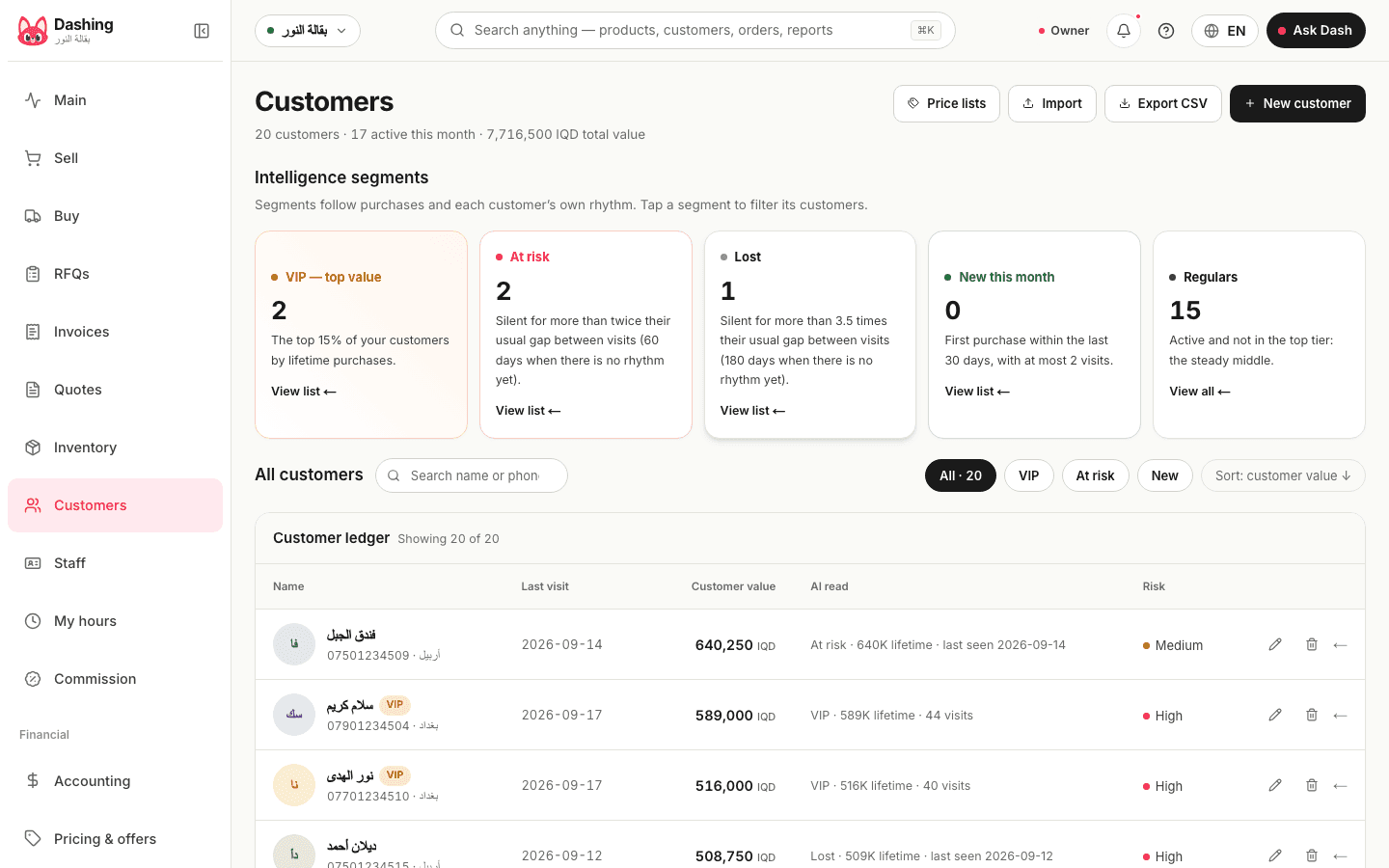
Real screenshots from the sample shop, Al-Noor Grocery, from the home screen and the cashier to inventory and receivables, each available in all three languages.
Try it freeAll screens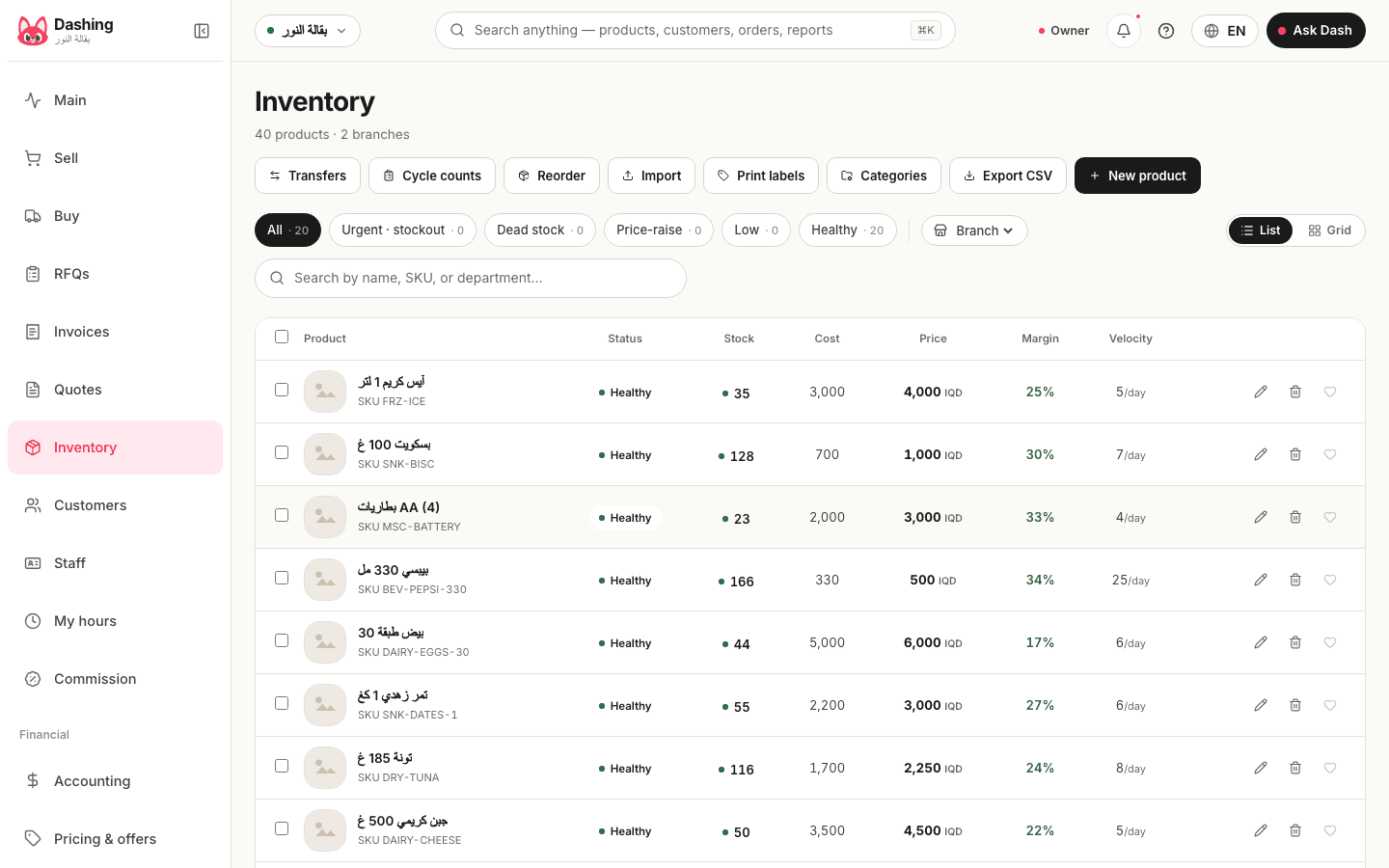
Open a free account today.
The free plan needs no card and never expires. Answer three questions, upload your items from a CSV file and start selling from the browser on any device. When you need more, the yearly plan is 420,000 dinars, with a full refund within 14 days.