Every customer has a balance that updates with each payment, a statement they receive on WhatsApp, and a credit limit that nobody can exceed without it being recorded.
Dashing replaces the debt notebook: a credit sale posts to the customer's account immediately, each payment lowers the balance as soon as it is recorded, and overdue amounts are aged in four brackets. The statement is sent as a WhatsApp link from the customer's page, and a credit limit blocks sales to anyone over it.
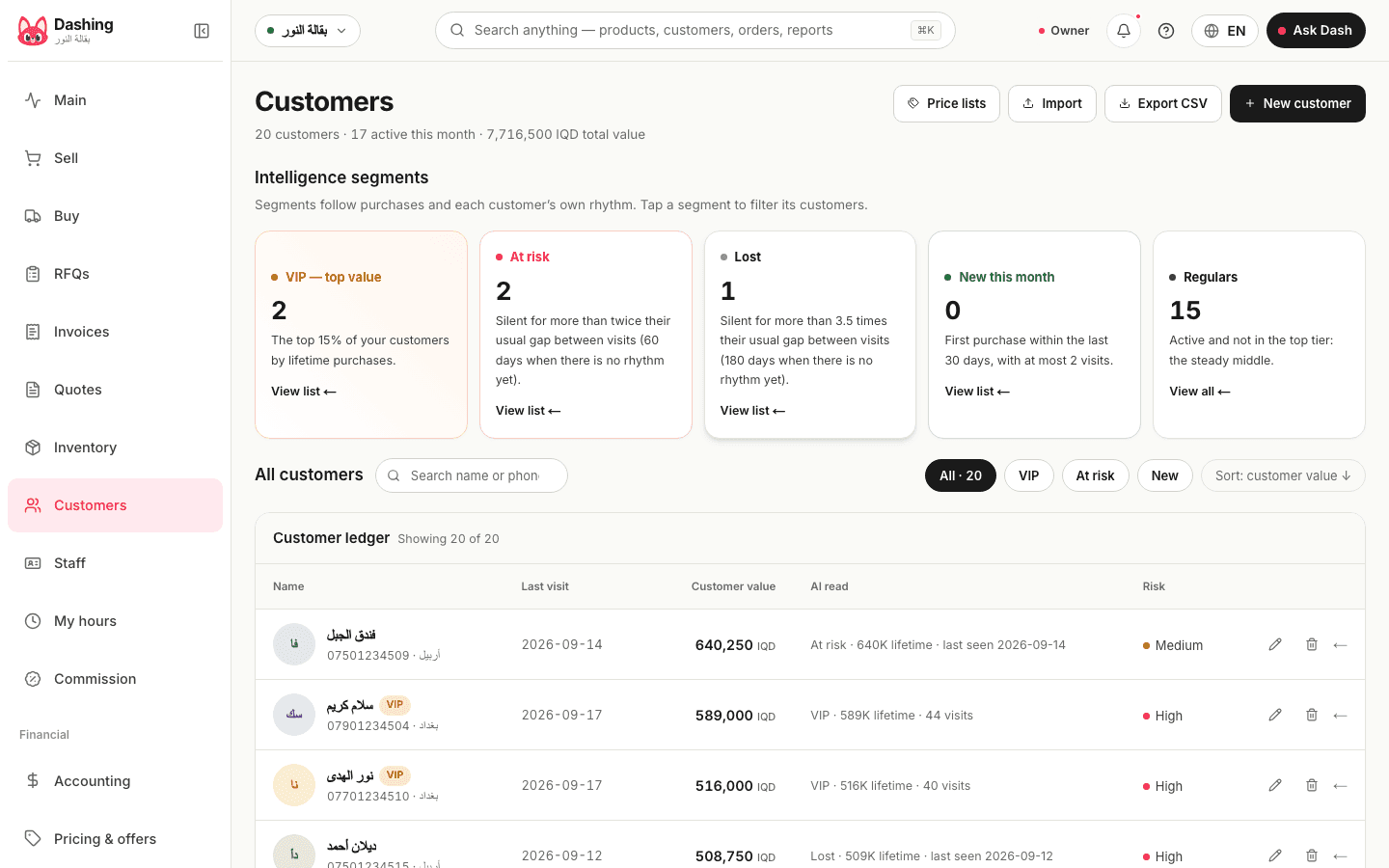
Watch it work
One customer at the sample shop
The page of Abu Ali, who runs the Al-Khaima restaurant, at the sample shop Al-Noor Grocery: 129,500 dinars outstanding for under 30 days, 188,000 for between 30 and 60 days, and nothing older; balance 317,500. From the same page, a button opens WhatsApp with the statement link, and a payment can be recorded and allocated to the oldest invoices first. Across the whole shop, 20 customers were more than 30 days overdue, owing 2,632,750 dinars in total.
The limit and the exception
Each customer can have a credit limit. When a sale would exceed it, the cashier stops; a staff member with the override permission enters a reason and continues, and their name, the reason and the amount are written to the audit log for the owner to see. There is no manager code to type in over the cashier's shoulder: the permission belongs to the account itself.
The statement on WhatsApp
One tap from the customer's page opens WhatsApp with a message containing a link to their statement: invoices, payments and balance, in the interface language. The link works for 30 days, then expires. No file is attached; if the customer wants a paper copy, the same page prints. Payment reminders are sent by your staff whenever they choose; the software sends no automatic reminders.
More than debts
- Credit and debit notes tied to their original invoice
- Installment sales: a payment plan on the invoice itself, each installment tracked on it; when a plan is cancelled the deposit is kept by default and can be refunded
- A quote that becomes an invoice in one tap, and can be priced in dollars when the customer asks in dollars
- A recurring sale for a standing order (a restaurant that takes 200 loaves a day) invoices itself on its schedule and posts to the customer's account
- A price list and a default discount per customer or group, loyalty points earned and redeemed at the cashier, and gift cards with a balance
- A "regular customer went quiet" card on the home screen when a customer breaks their usual pattern; in the sample shop it listed 5 customers
Who should I collect from first?
The receivables list sorts by amount or by age, and the morning card shows how many customers are overdue and their total. You can also put the question to Dash: it ranks overdue customers by which payments would close the projected cash gap over the next 14 days, showing each customer's amount, days overdue and past payment record; when the projection is healthy, it tells you no urgent collection is needed. There is no separate screen for this ranking.
What it does not do
No customer self-service portal, no automatic reminder messages, no marketing messages: the statement and the reminder are sent by your staff with a tap. No separate screen ranks collections; the ranking is an answer from Dash.
Common questions
How does the customer receive their statement?
One tap from their page opens WhatsApp with a link to their statement, with the invoices and payments, and the balance. The link is valid for 30 days, and no file is attached.
Does it block sales to someone over their limit?
Yes. The cashier stops until a staff member with the permission overrides it with a written reason, and the name, reason and amount are logged.
Does it send payment reminders on its own?
No. A reminder is sent by your staff member from the customer's page with a tap, as a WhatsApp message they write. No automatic messages.
From the blog
- An accounts program for a shop: what you need, and what is sold to youWhat an accounts program must do for a shop in Iraq: real profit, debts by name and age, the drawer, books the accountant can open. And what is sold to you, unneeded.
- Cashier software in Iraq: the complete guide for shops (2026)What cashier software must do in Iraq: hardware, working offline, dinar and dollar, debts on WhatsApp, Zain Cash and Qi, real prices, how to choose, with dated sources.
- Customer debts: collecting them over WhatsApp without awkwardnessRunning credit sales in a shop in Iraq: a credit limit per customer, debt aging, a statement that reaches the customer on WhatsApp, and the overdue card every morning.
- From the notebook and Excel to a cashier system in a weekA day-by-day plan for moving a shop in Iraq from the notebook and Excel to Dashing: products, customers, old debts, first sale, shift and report, and what stays behind.
Related
Try it in your shop, free, no card.
The free plan: the whole shop for one branch, an offline cashier with stock, debts and accounting, and no cap on selling. What it includes