Every Dashing screen, captured from the app itself.
26 captures of Dashing in its three languages (Arabic, English, Kurdish), taken on 16 September 2026 from the sample shop, Al-Noor Grocery, with its data: a grocery in Baghdad with a branch in Erbil and 60 days of trading. Under each screen, what you actually see in it, and a link to the page that explains it.
Watch
Seven clips under a minute each, one move at a time from a sale to a close; nothing in them is staged.
Home
The morning brief on the first line: yesterday's sales, then who is overdue and for how much, then a drawer closed short. Under it the day's numbers per branch, then Dash's cards ranked by priority.
Read more about this screen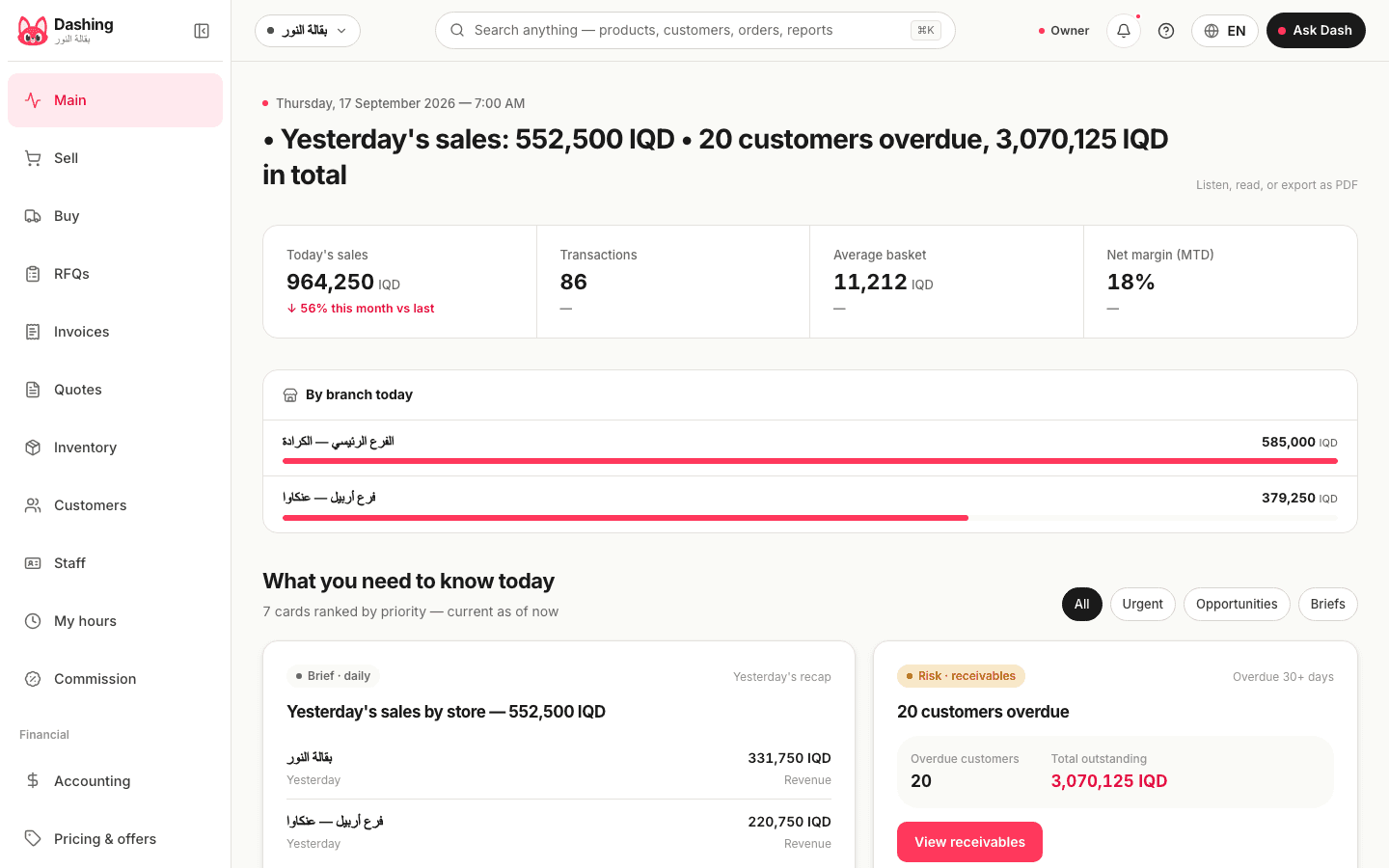
Cashier
A cart of 5 items at 15,500 dinars, and a number pad with the F1 to F10 keys on the other side. Payment in cash with the change worked out, by card, Zain Cash, or on credit to the customer's account; the shift has been open since 17:00.
Read more about this screen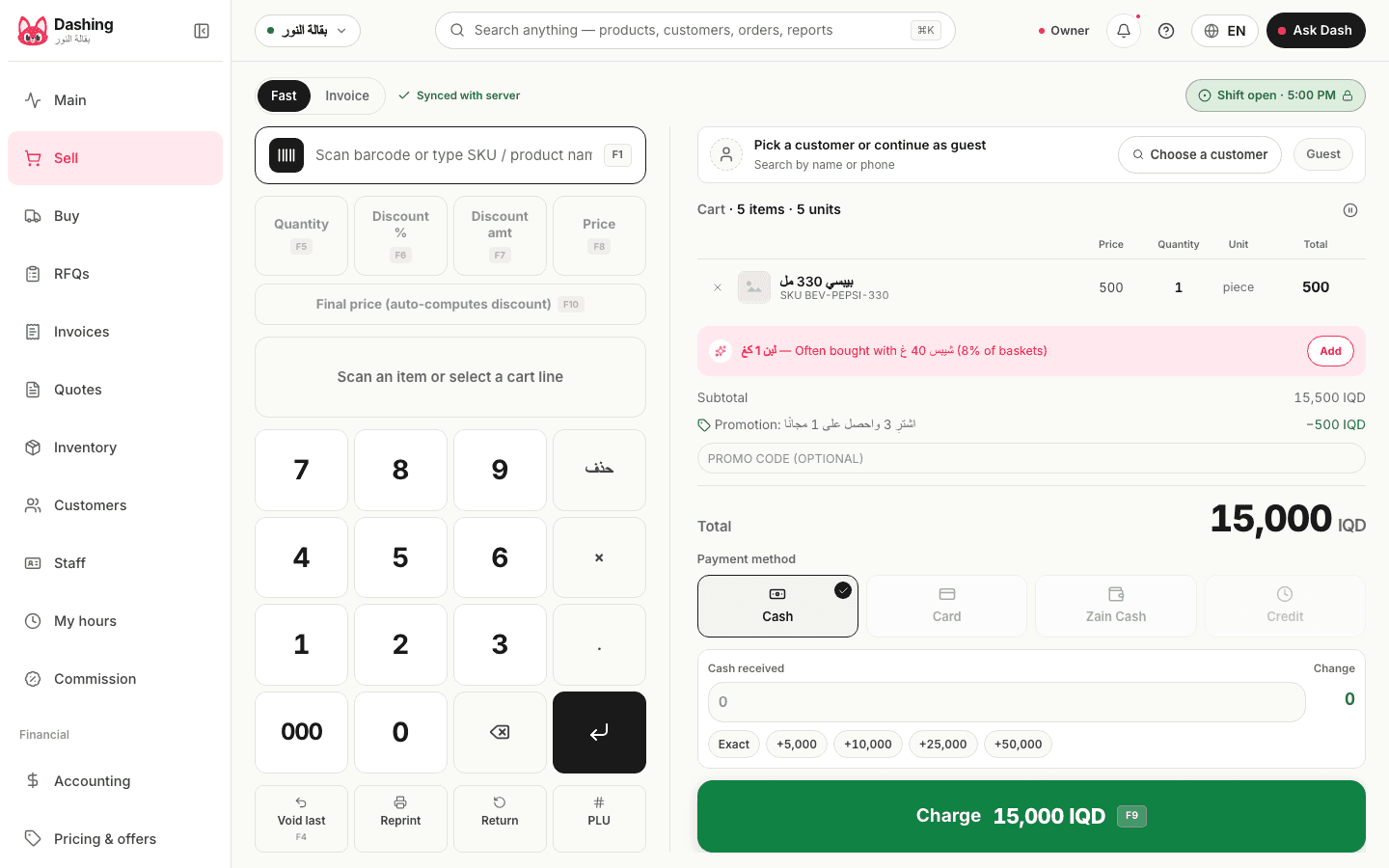
Invoice mode
The same screen in invoice mode: the invoice number and date, a customer picker, 3 lines each with a quantity, a unit, a price and a discount, a discount on the whole invoice, then save and print, send, or save as a draft. Saved on the device and uploaded when the connection returns, like the fast cashier.
Read more about this screen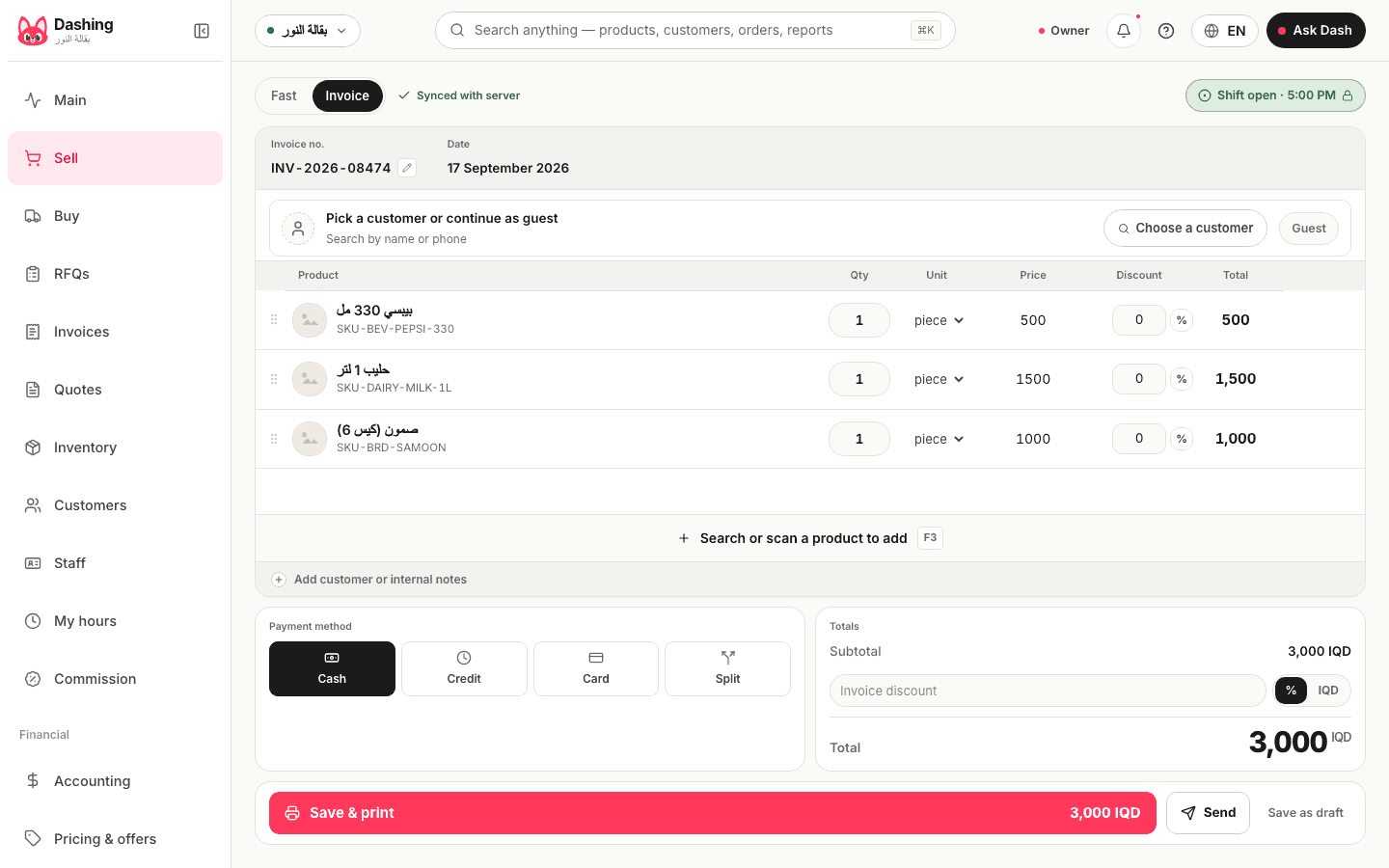
Invoices
Every invoice with its status, its branch and the way it was paid, searchable by date or by customer name. From the invoice itself it prints on 80 mm, goes out as a WhatsApp link valid a year, or has some of its lines returned.
Read more about this screen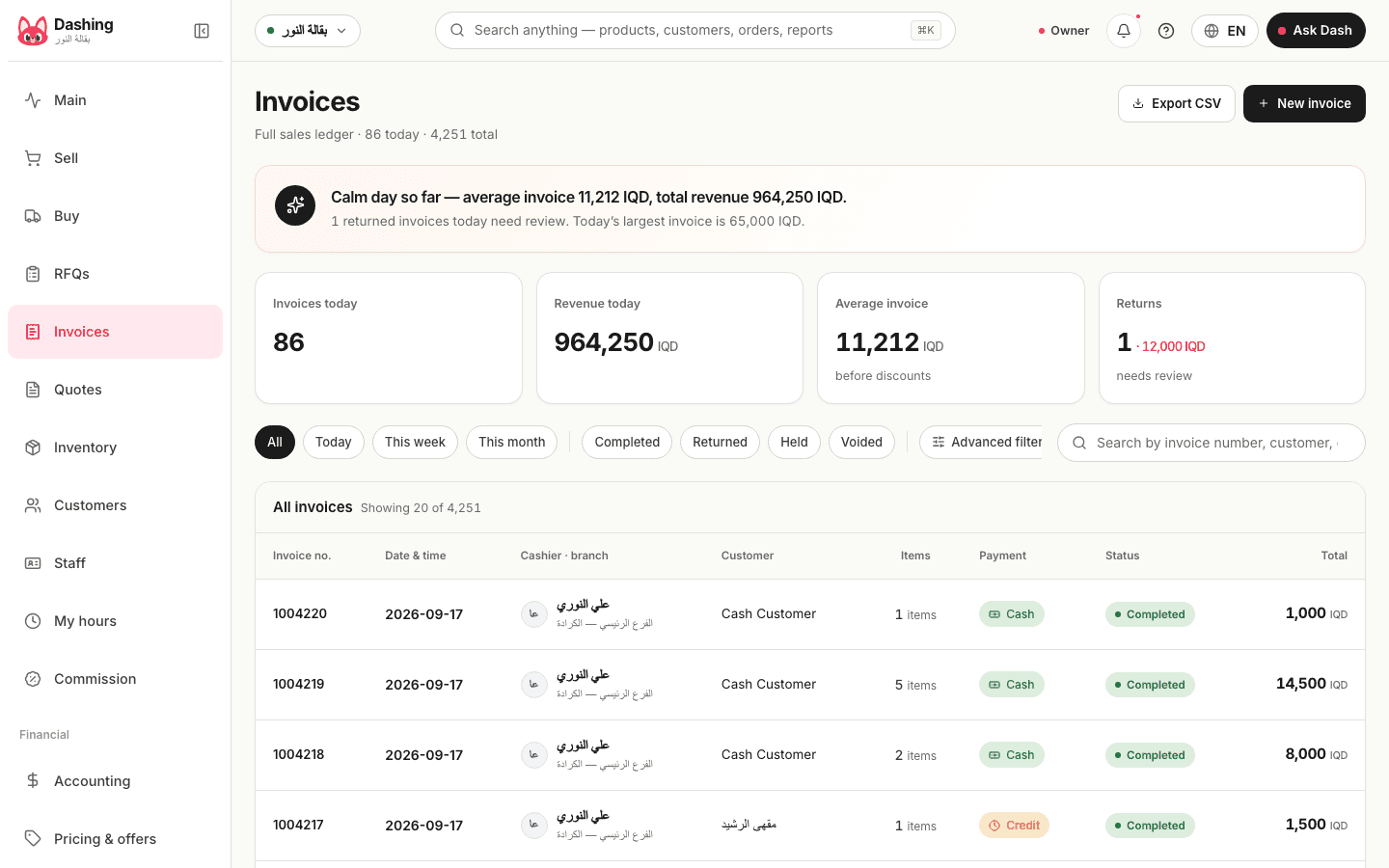
Inventory
Every item with its photo, its quantity per branch and its minimum. Search is instant, an item at its reorder point is flagged, and the CSV import sits behind the button at the top.
Read more about this screen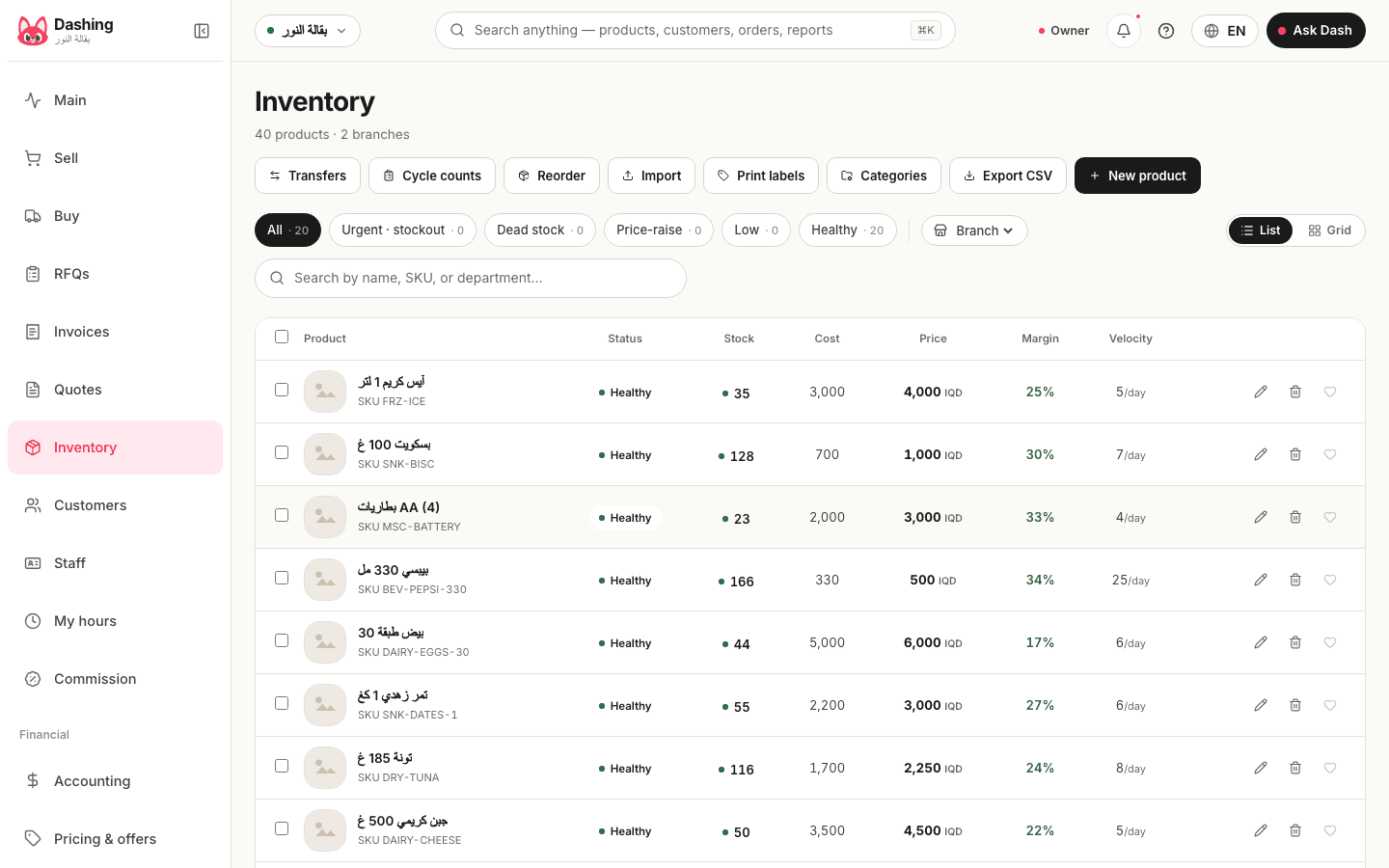
Cycle counts
A count session: opened, the shelf counted item by item while selling goes on, then approved. The difference posts as one journal entry, and the count works on the item's total quantity rather than per branch.
Read more about this screen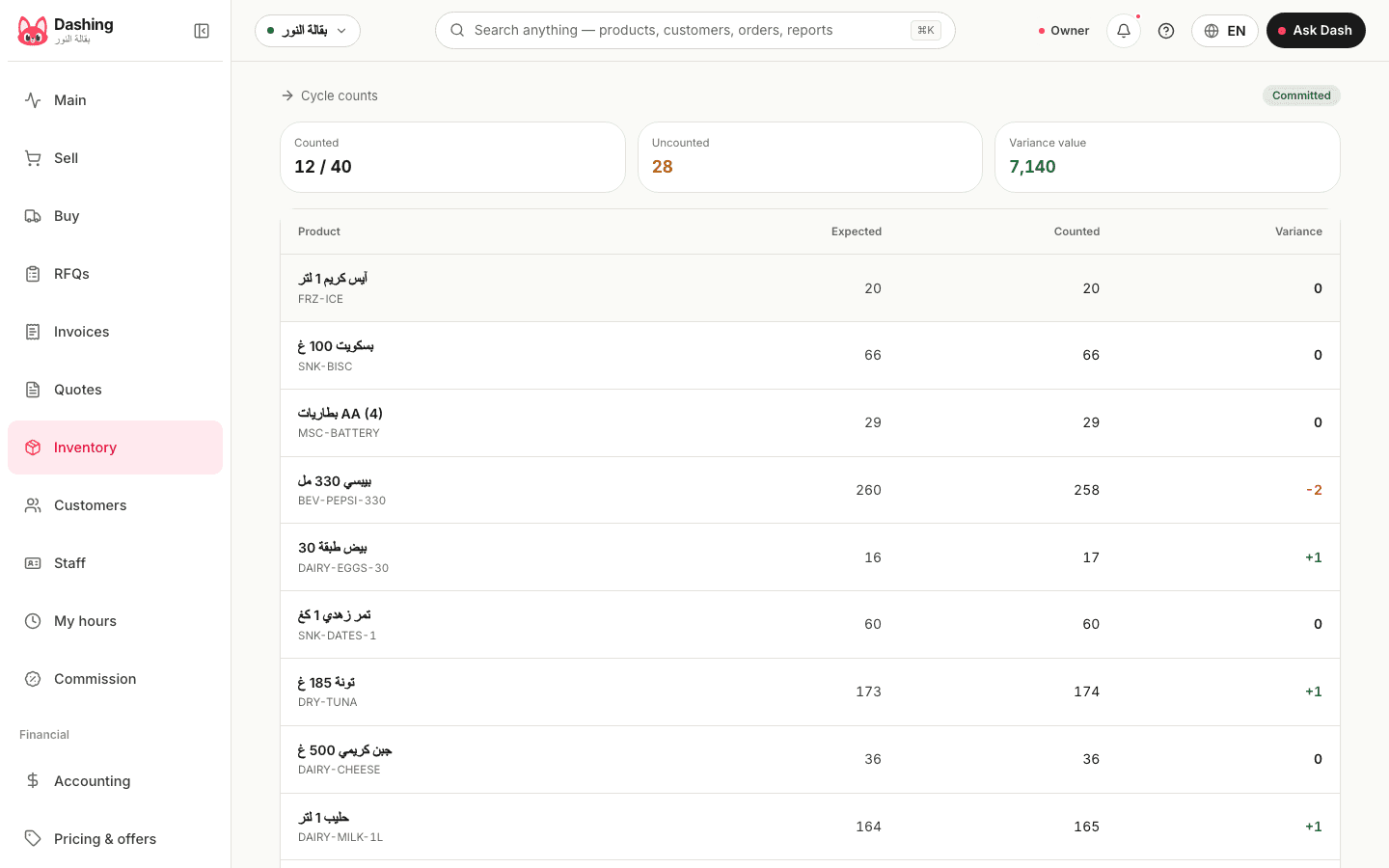
Customers
Each customer with their balance and last visit, and the credit limit that stops a sale when crossed. From their page a button opens WhatsApp with the statement link, and a payment is collected and allocated to the oldest invoices first.
Read more about this screen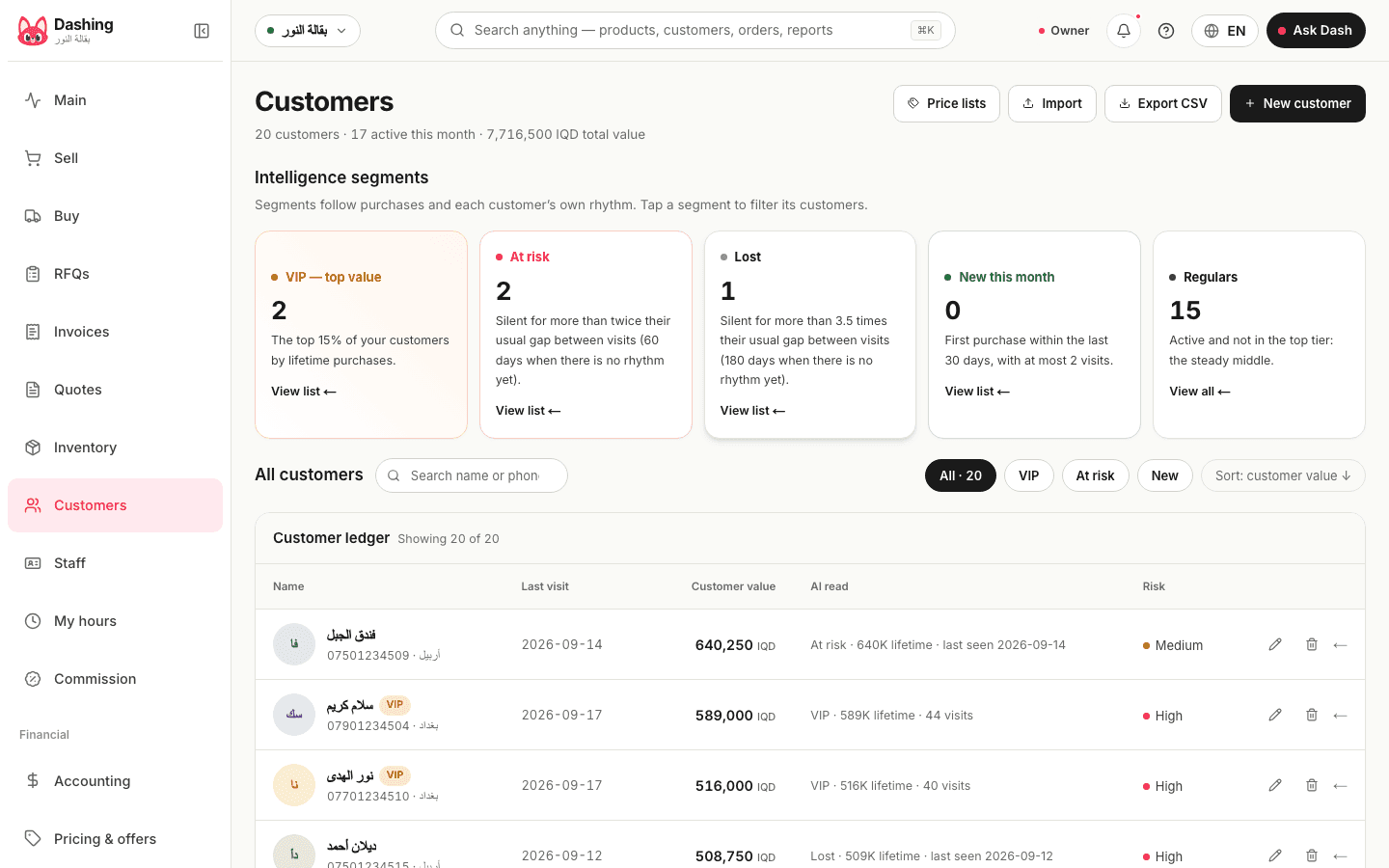
Receivables
470 open receivables at the sample shop, 249 of them overdue and 146 due this week. Each row with its age and its status (overdue, partial), and from it a payment is collected or a statement sent.
Read more about this screen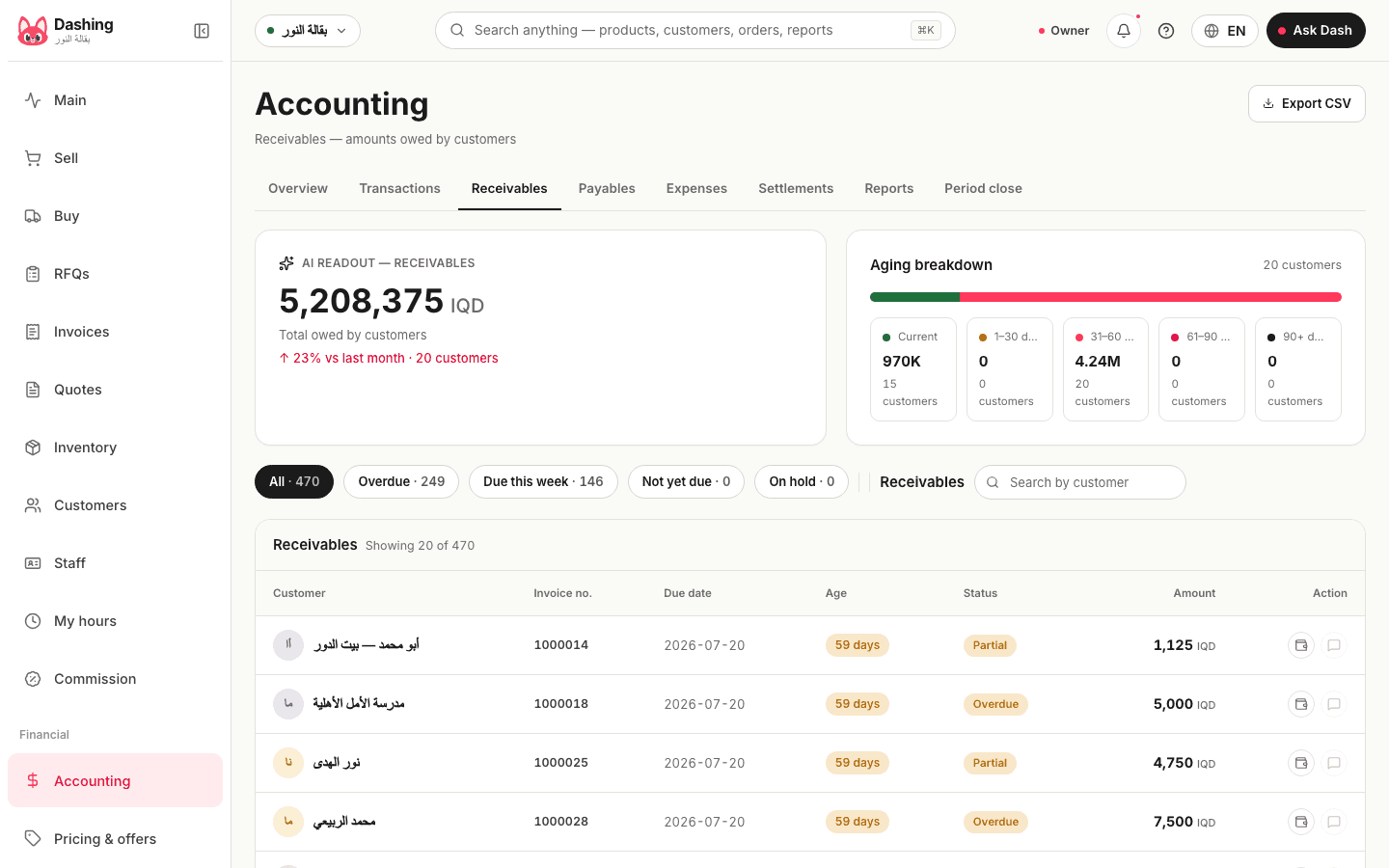
Purchasing
Purchase orders by status: draft, confirmed, partially received, paid. A partial receipt brings in what arrived and books the payable for that much, and a payment settles it.
Read more about this screen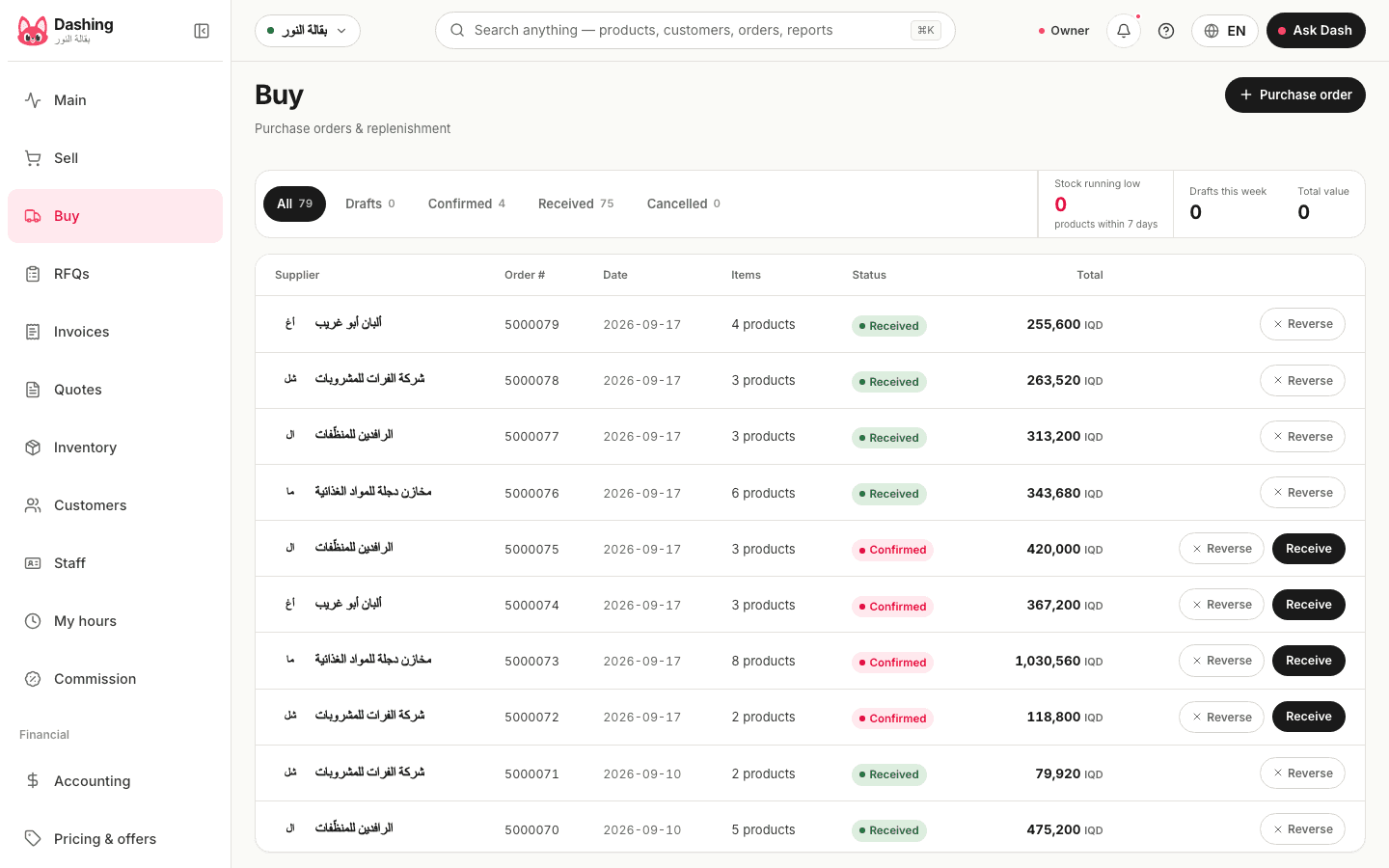
Requests for quotes
One list of items sent to several suppliers, their quotes compared line by line, and the best one turned into a purchase order in one tap.
Read more about this screen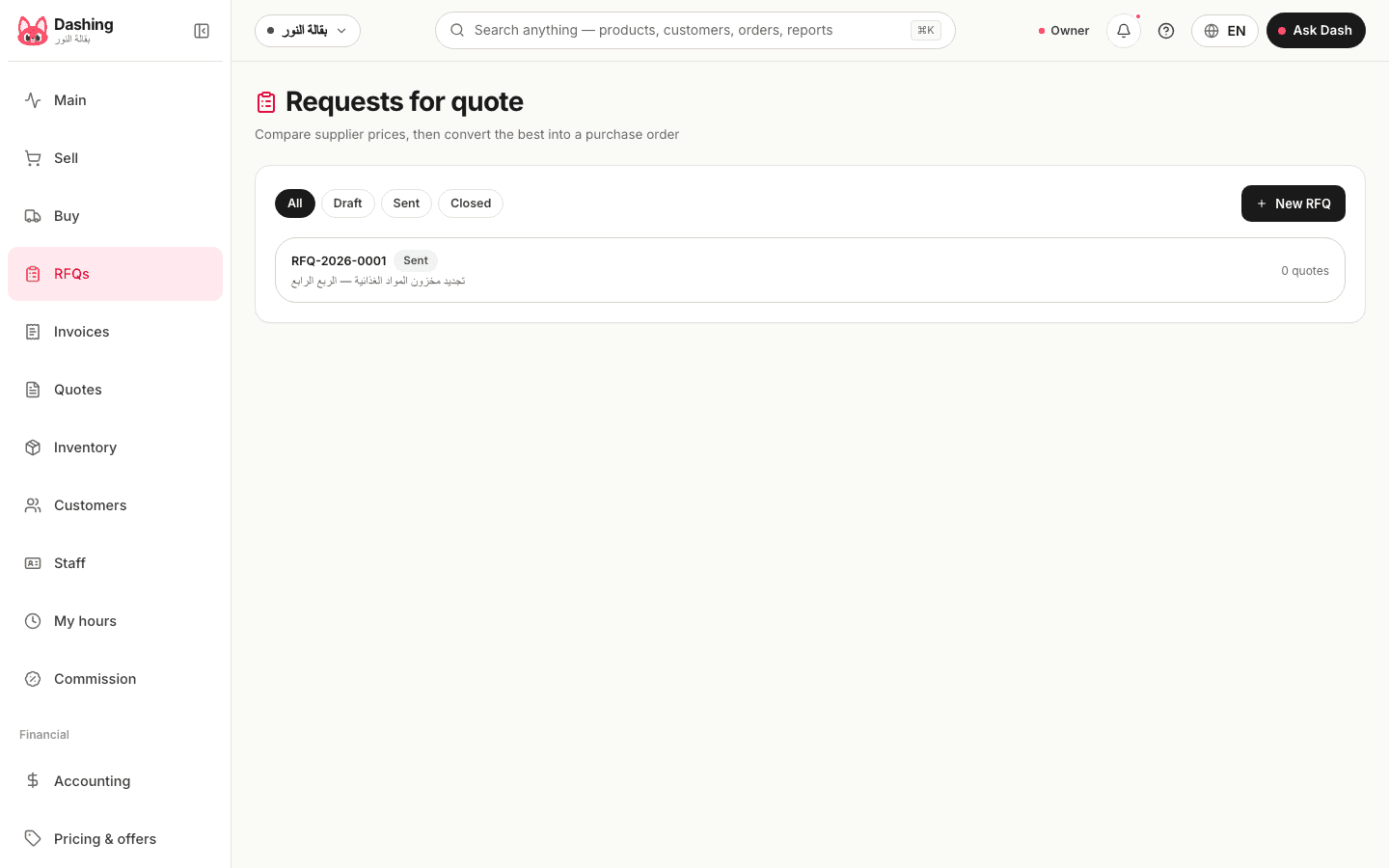
Payables
What you owe suppliers: what is late and by how long, what falls due within 7 days, within two weeks, and what can wait, each in a list of its own.
Read more about this screen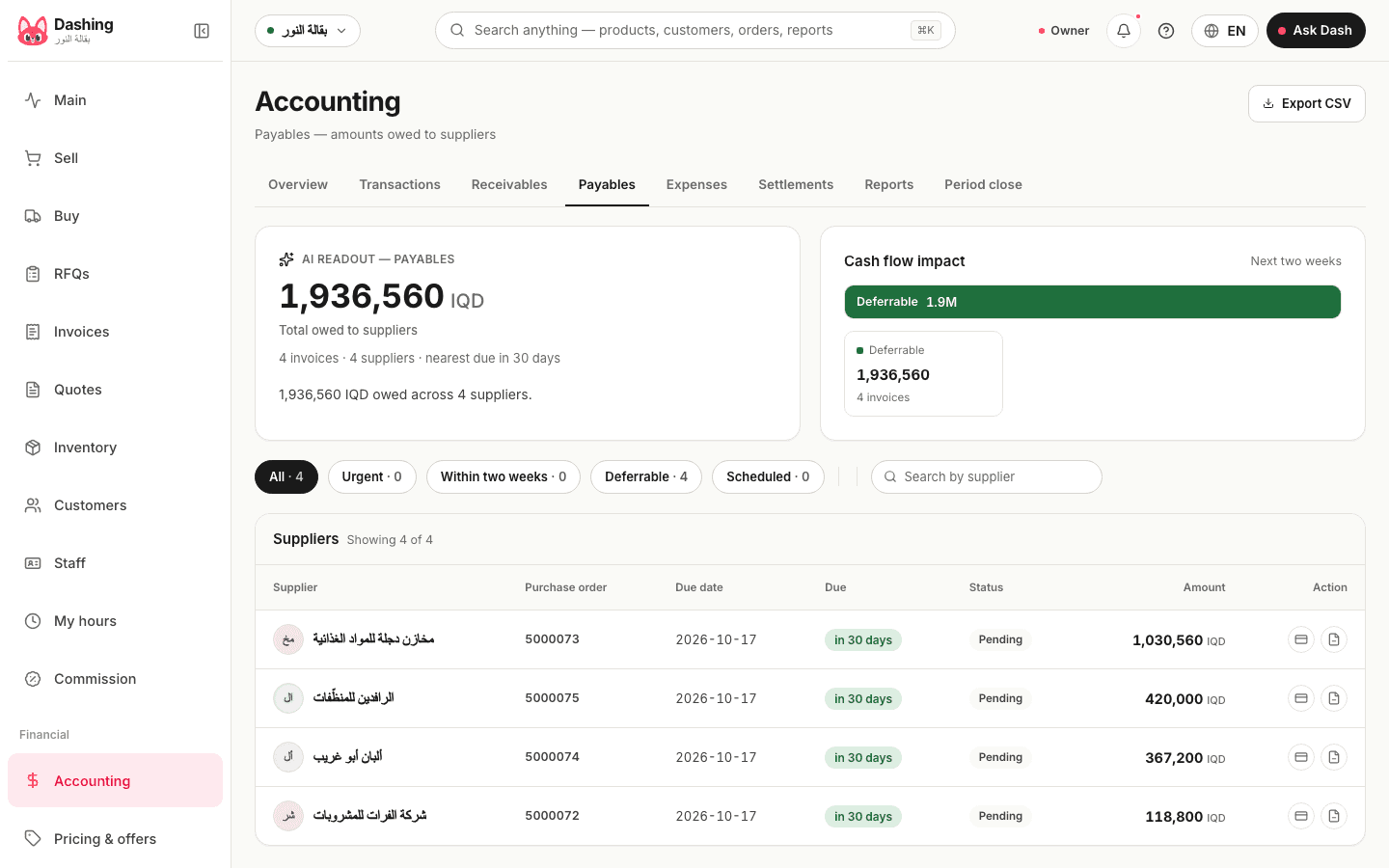
Stock transfers
Goods leaving one branch for another: draft, in transit, received or cancelled. Stock and books move together, and a transfer stuck in transit for more than 3 days shows as a card on the home screen.
Read more about this screen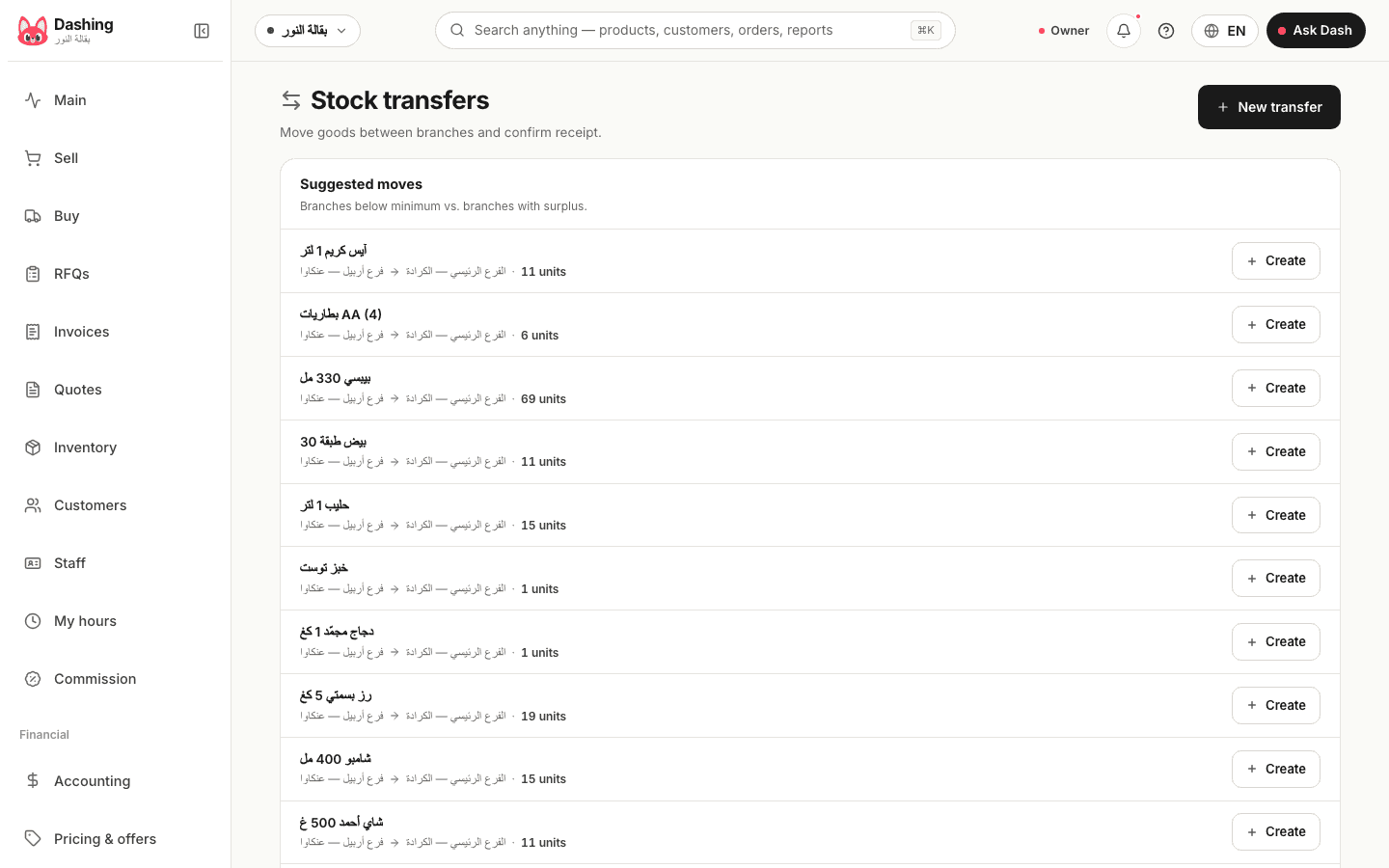
Expenses
Every expense with its category and a receipt photo from the phone, booked to the ledger the moment it is saved. The rent is a recurring expense that creates itself on schedule, and petty cash comes from its own drawer.
Read more about this screen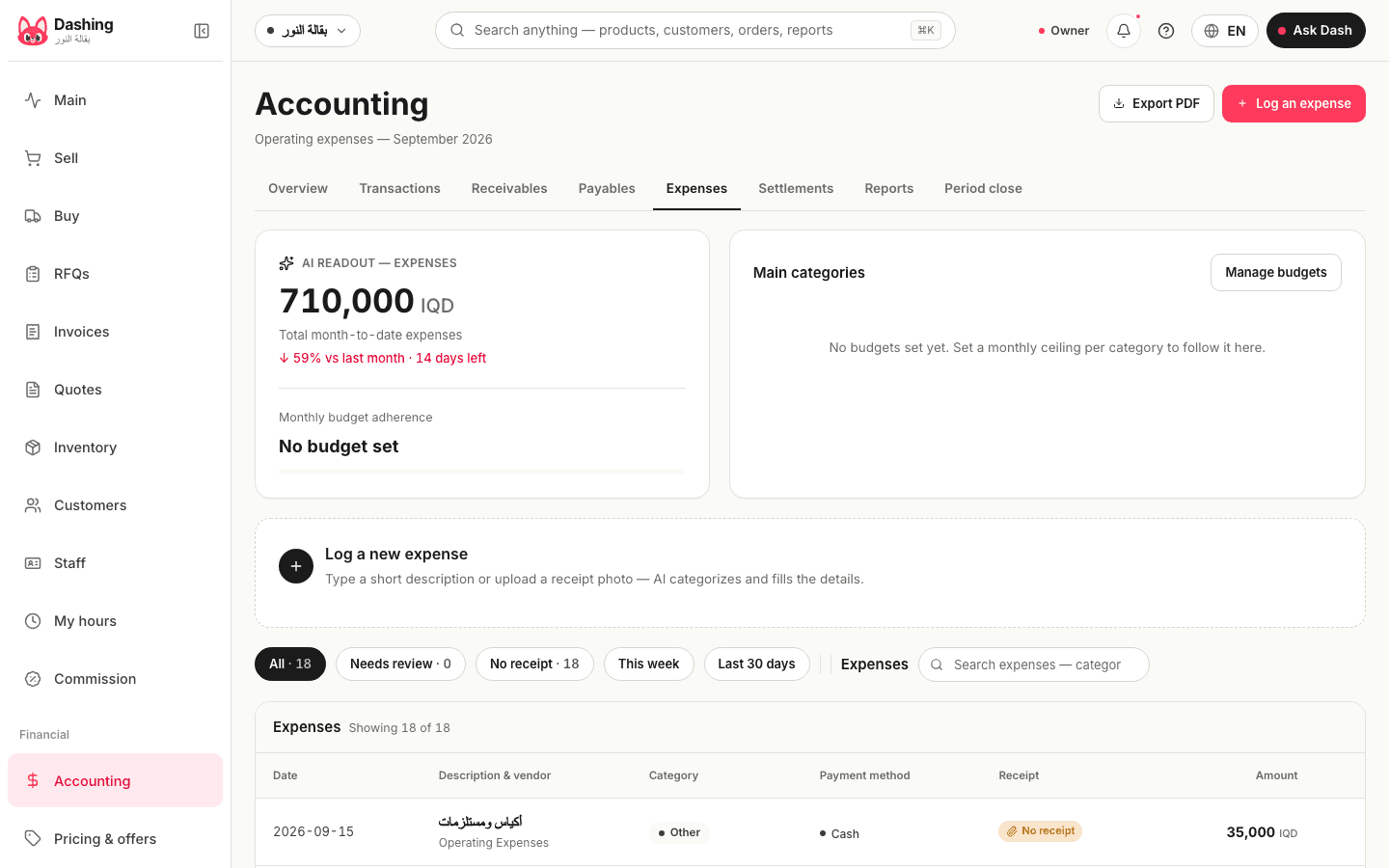
Settlements and shifts
Every drawer close with the expected, the counted and the difference under whoever closed it: 15 closes in the last week at the sample shop, the largest variance 2,000 dinars. The shift report compares it with the same weekday a week earlier.
Read more about this screen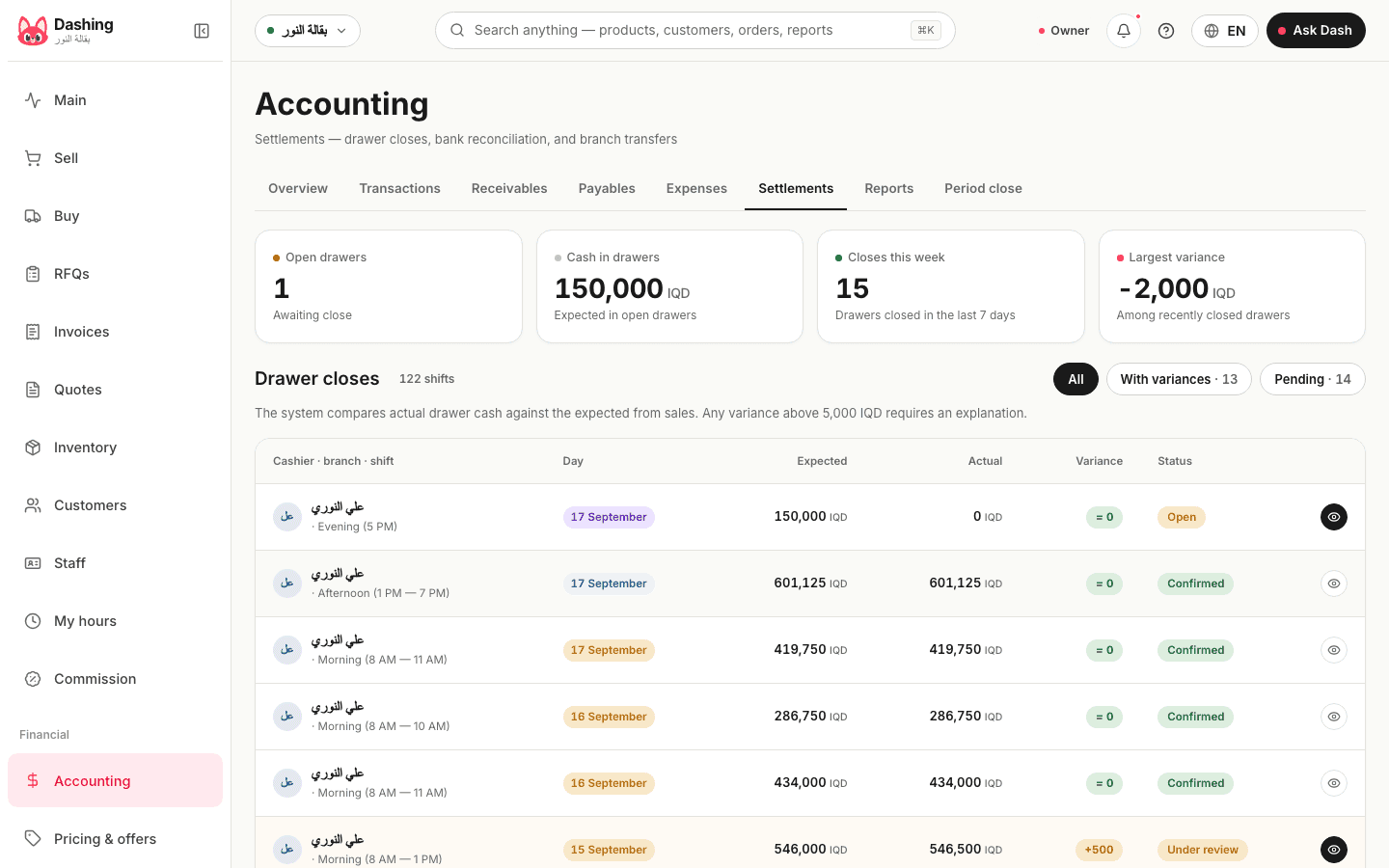
Transactions
The general journal as an accountant wants it: every entry with its source, whether a sale, a purchase, an expense or a transfer, exported to Excel for any period.
Read more about this screen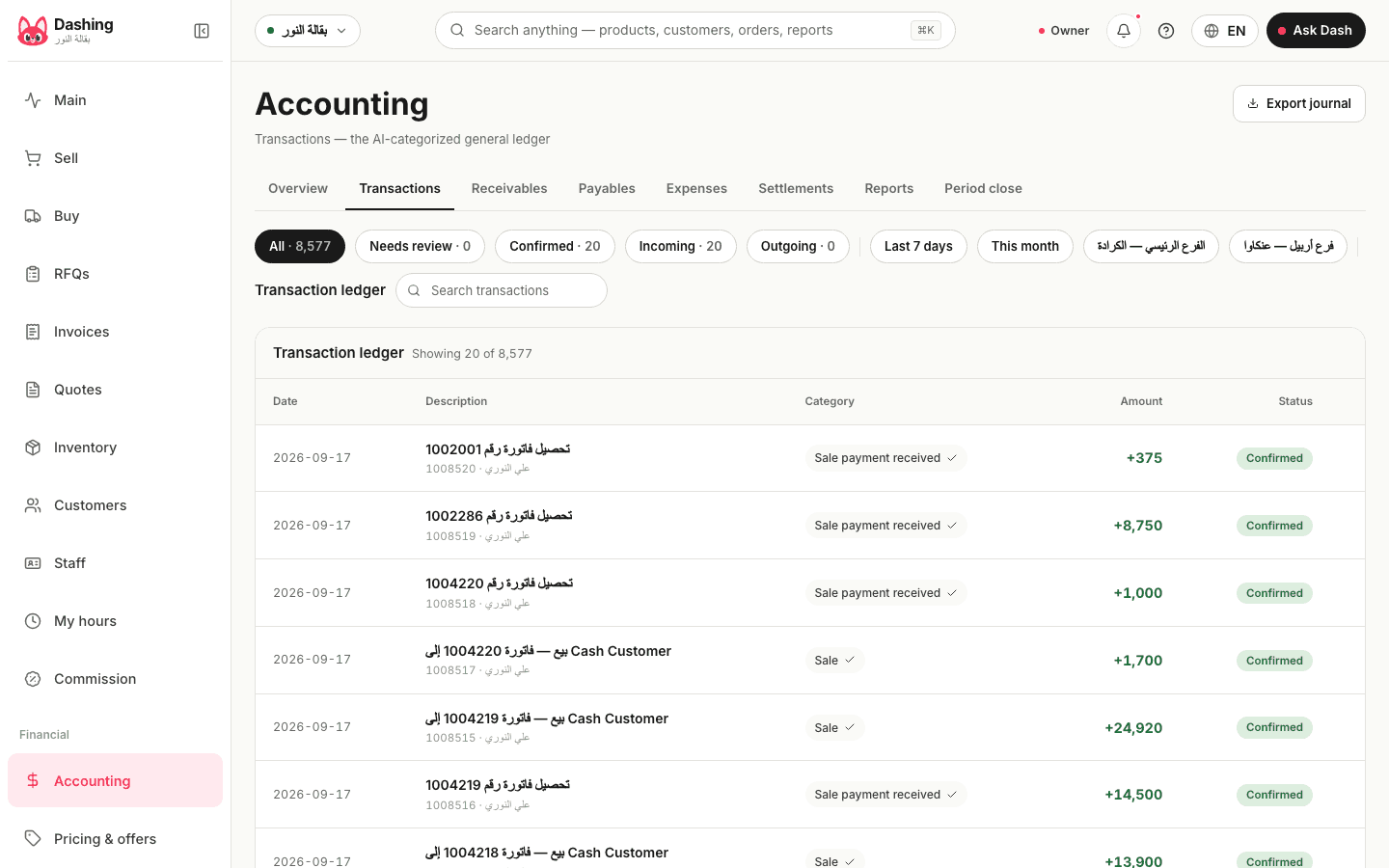
Money overview
Cash now and its 14-day projection on one line, tomorrow's expected sales with a high and a low band, and the month so far: revenue, cost of goods and the forecast net profit. The sample shop on 17 September 2026: 9,024,855 dinars in cash, risk low.
Read more about this screen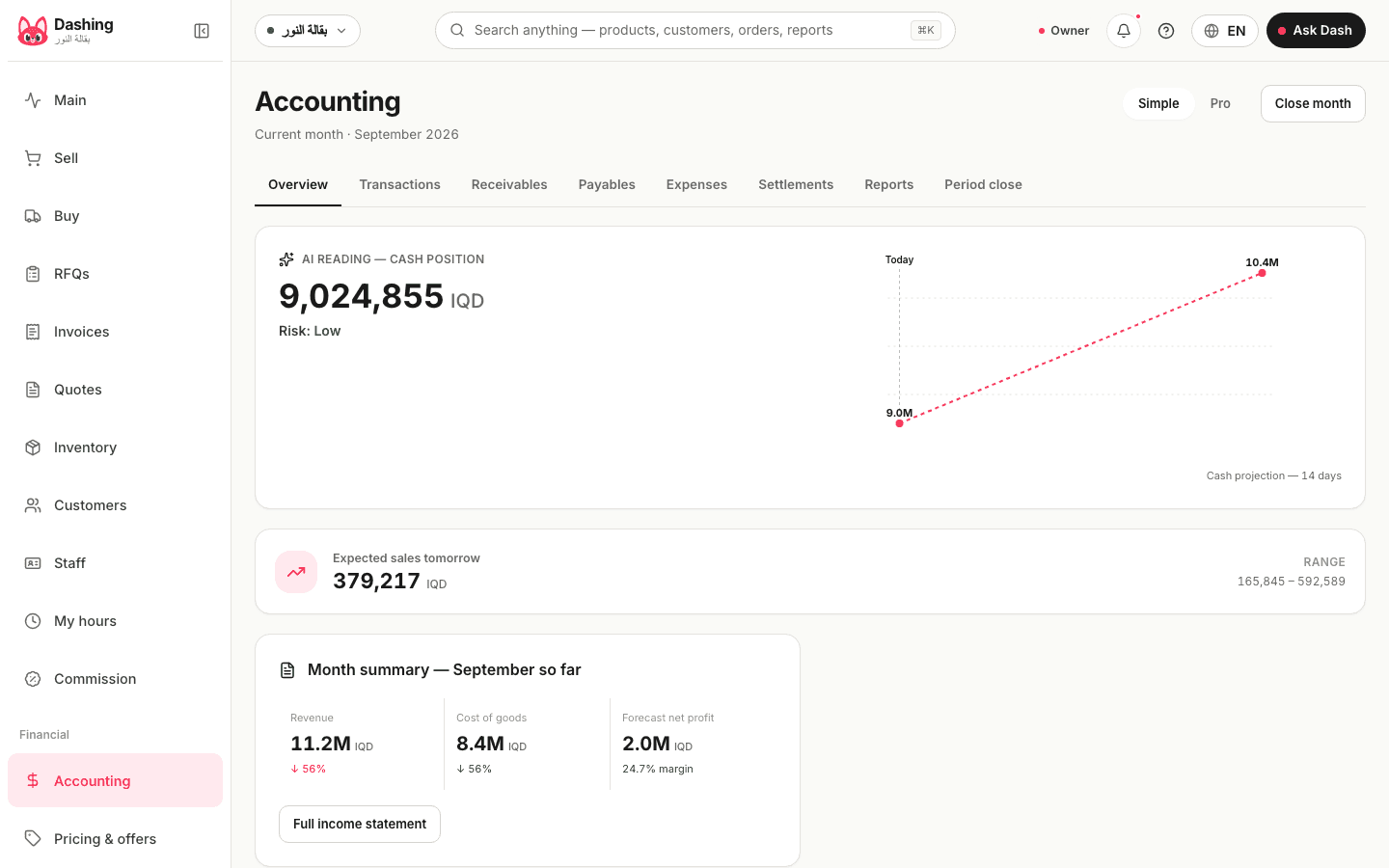
Reports
The income statement, the balance sheet, the trial balance, the cash flow statement, the aging reports. All from the same entries with no manual input, each exported to PDF or Excel.
Read more about this screen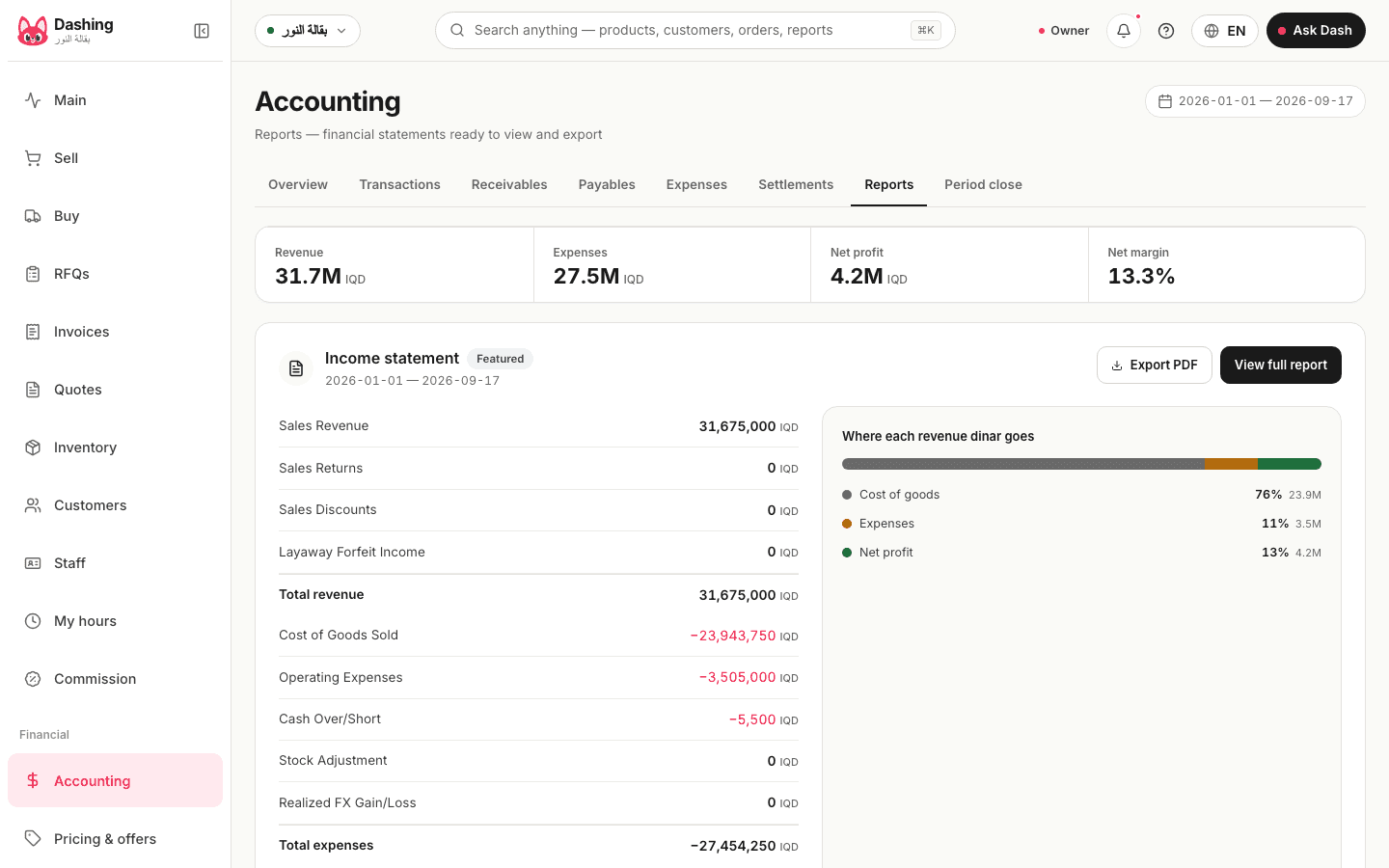
Income statement
Sales, the cost of goods sold, expenses and the net profit for the period you choose, straight from the books and per branch if you want.
Read more about this screen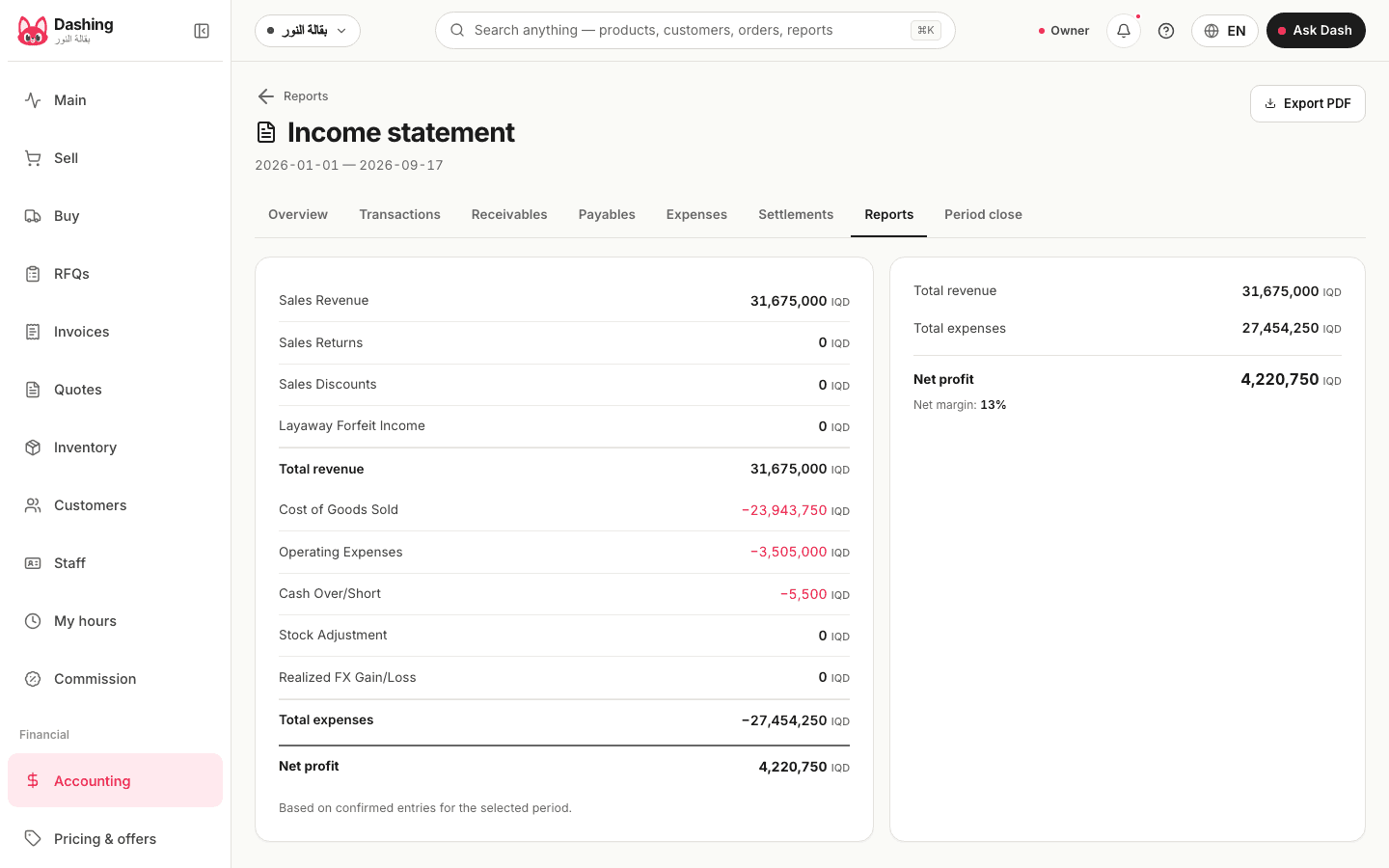
Period close
Accounting periods with their status, open or closed. After the accountant's review a period is closed, the system accepts no entry dated inside it, and the numbers handed over stay as handed over.
Read more about this screen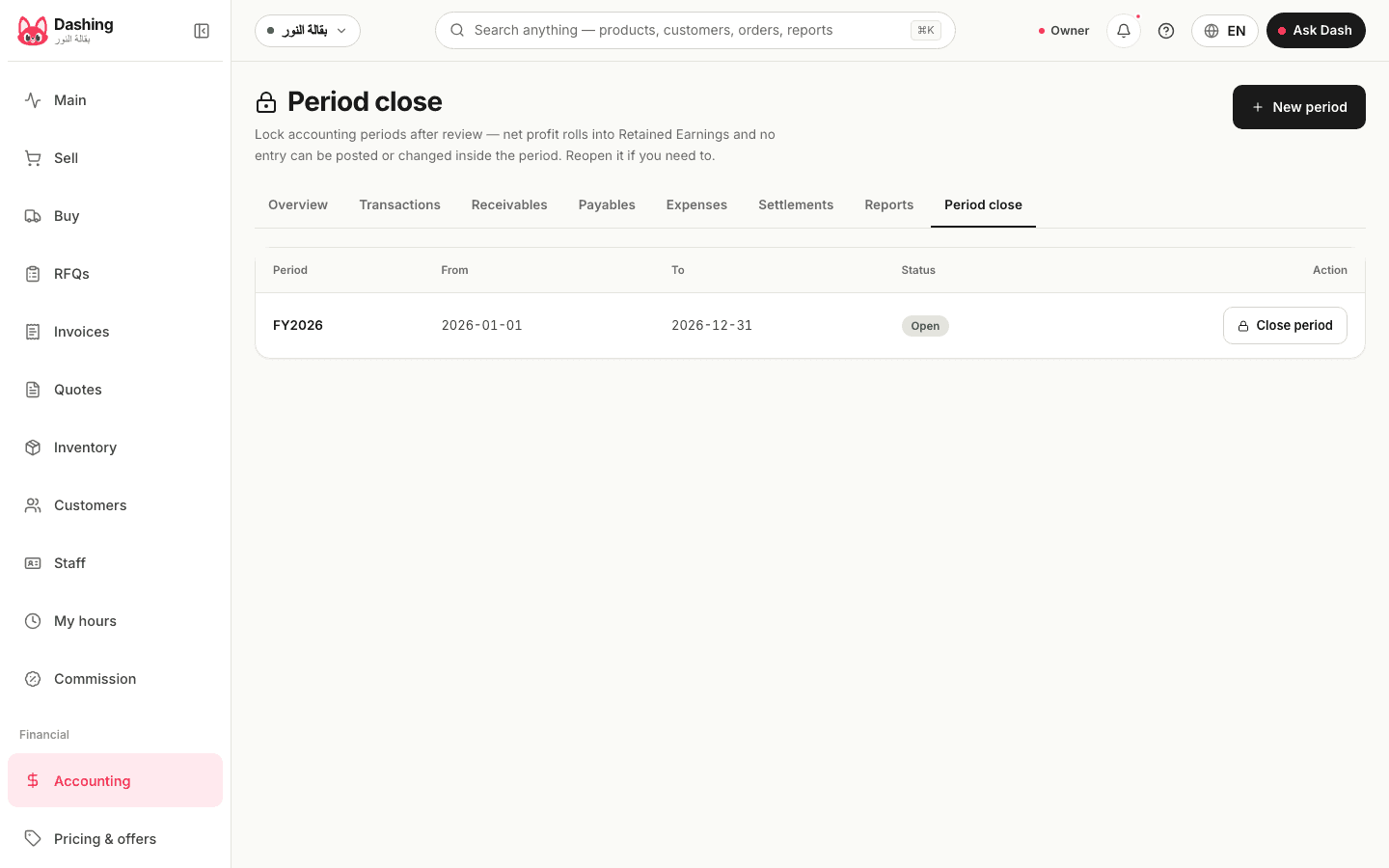
Quotes
A quote for a large customer with a validity date: draft, sent, accepted or declined. It can be priced in dollars at the rate you type, and the accepted one becomes an invoice in dinars in one tap.
Read more about this screen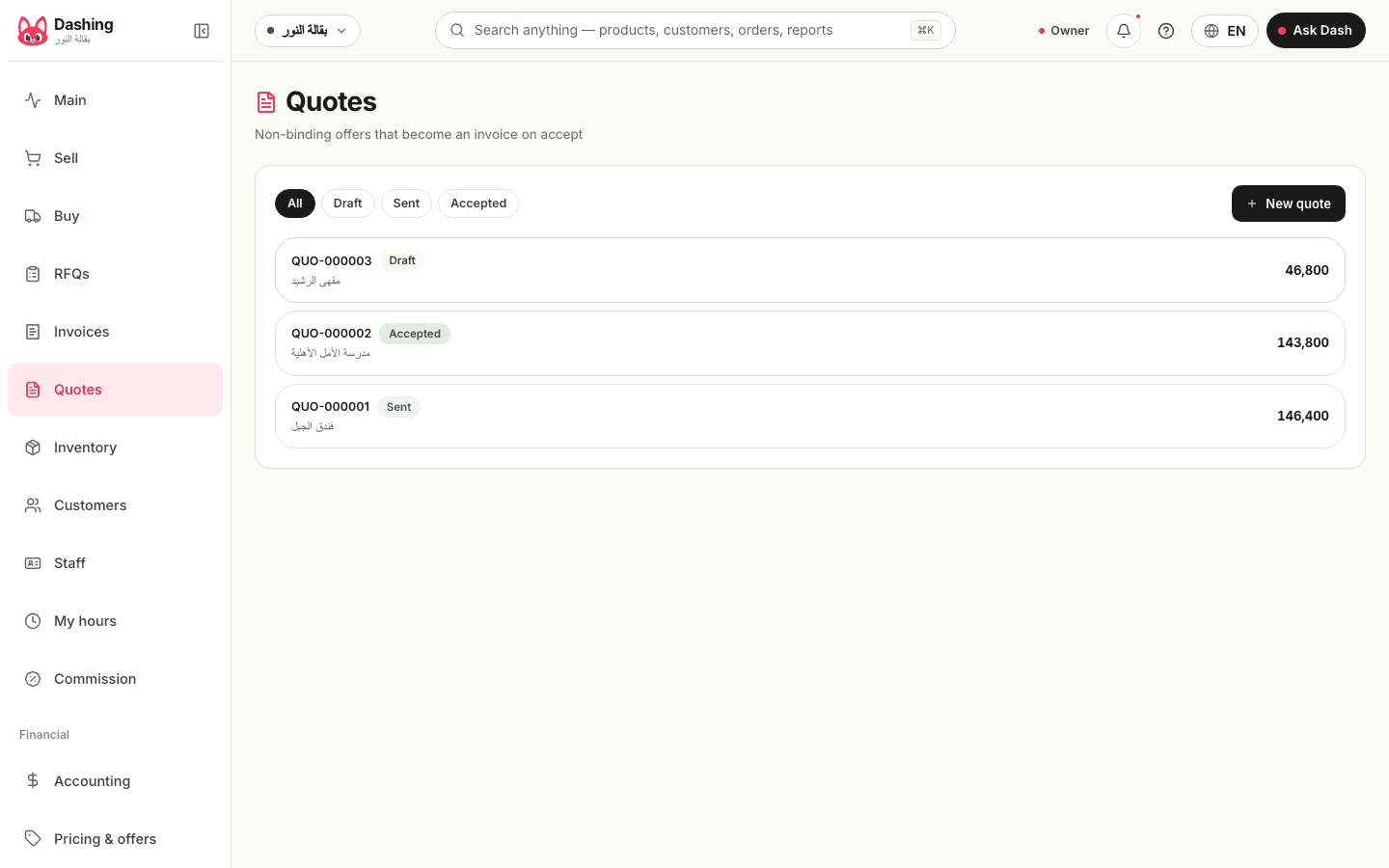
Layaway
An installment plan on a credit invoice: the deposit, the due dates, what is paid so far and what remains. A paid installment books as an ordinary collection, and if the plan is cancelled the deposit is kept by default and can be refunded.
Read more about this screen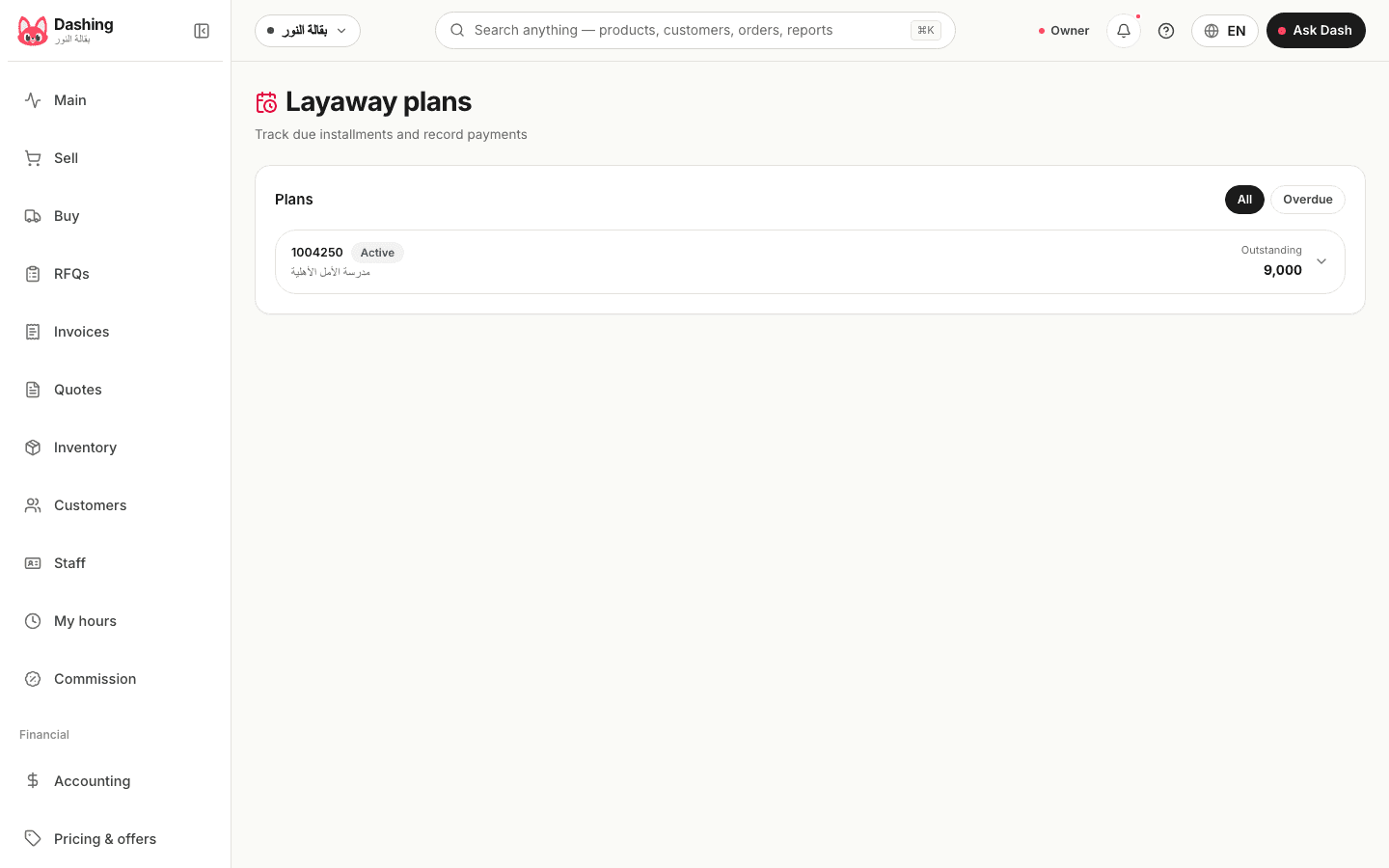
Gift cards
A card with a balance, sold and then used at the till as a payment, with its balance, its status and the date of each use.
Read more about this screen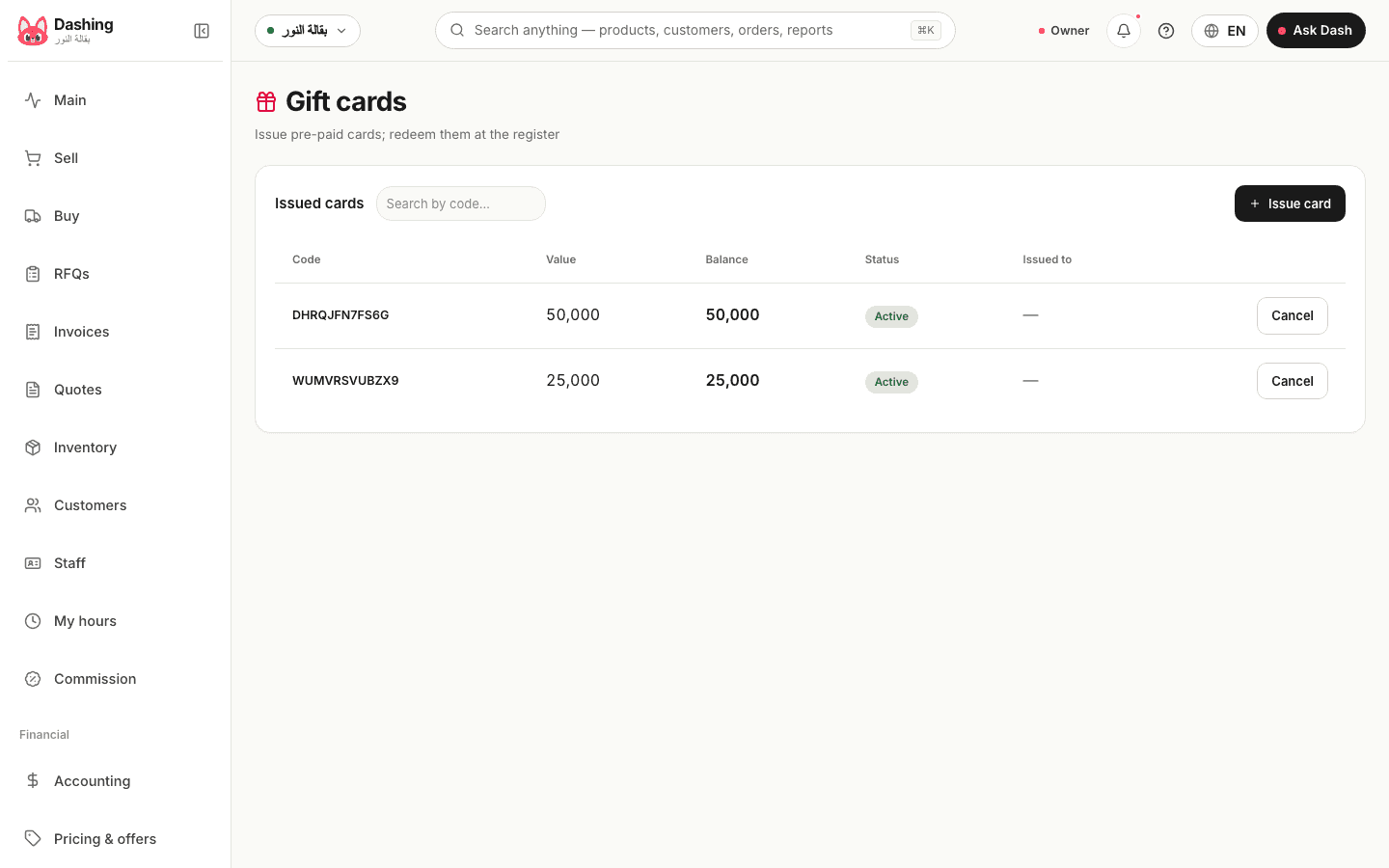
Recurring sales
A customer who takes the same order every day, week or month: the schedule issues the invoice on its date to their account, you review the list instead of retyping it, and you pause it over a holiday.
Read more about this screen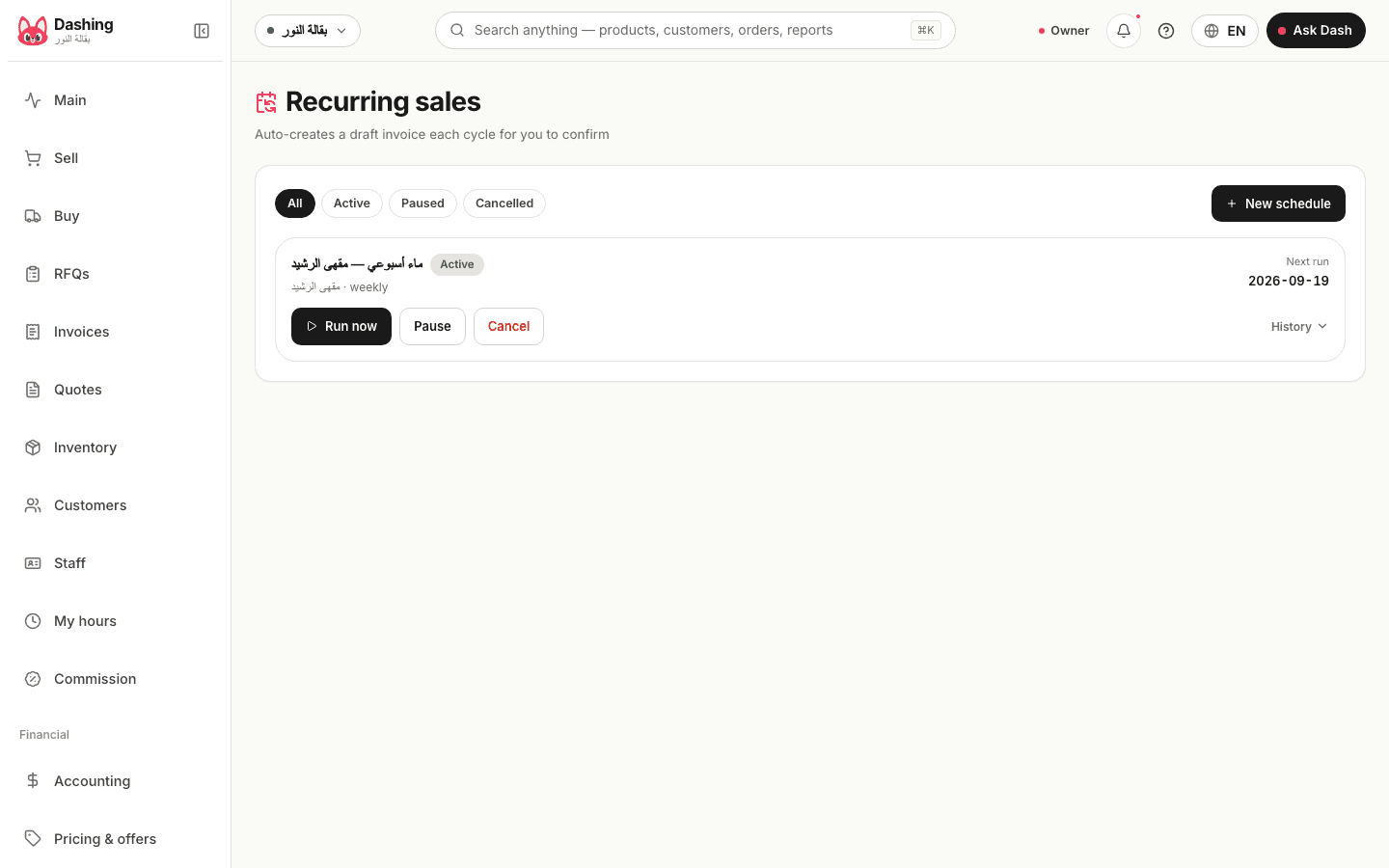
Staff
Each employee with their role, their branch and their permissions for each of the 49 screens. A cashier sees the cashier, an accountant sees the books, and you see everything.
Read more about this screen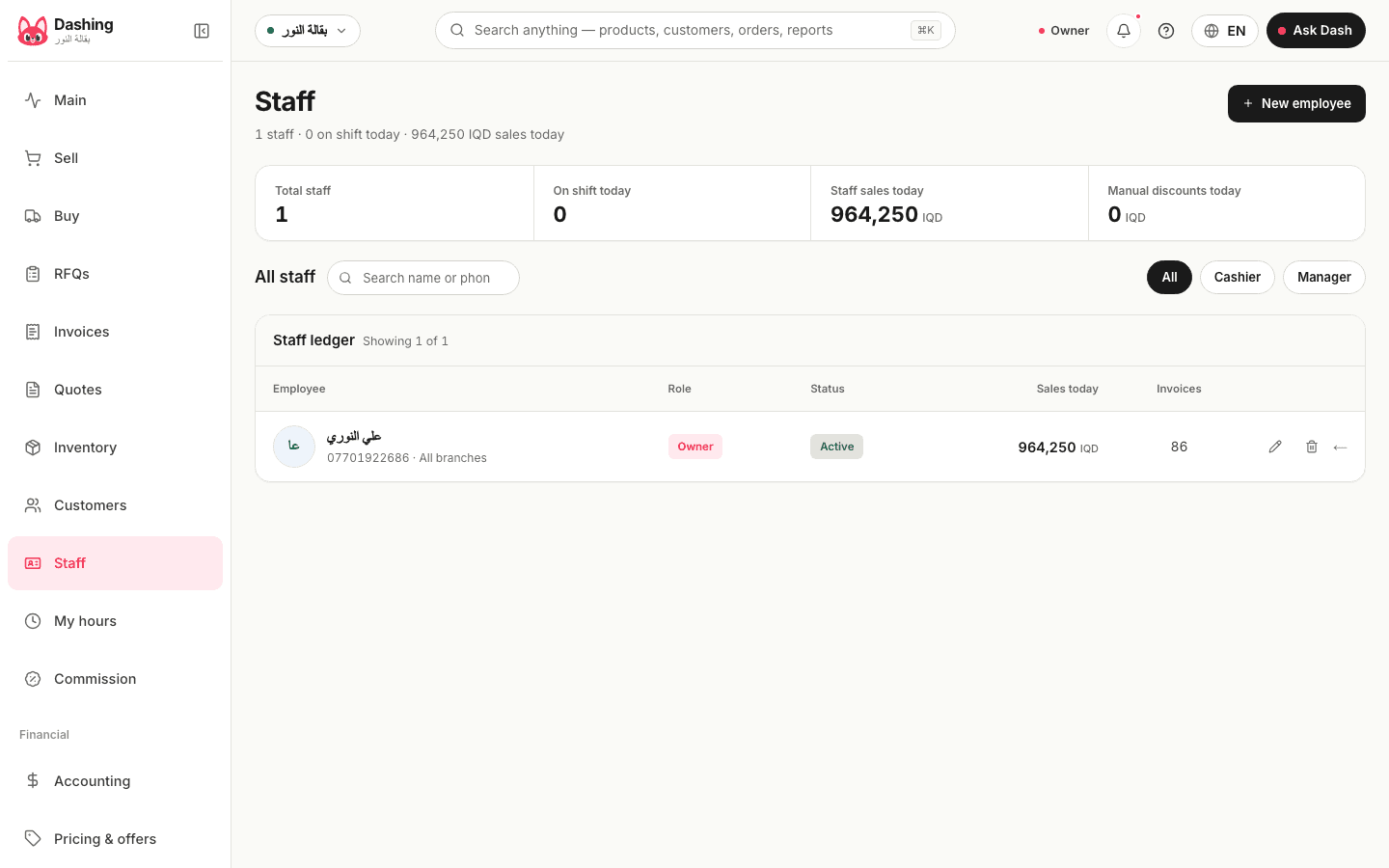
Settings
The shop name and branches, mandatory shifts, the blind drawer count and the variance threshold above which a reason is required, the near-expiry window (30 days by default), tax when needed, and the light or dark theme.
Read more about this screen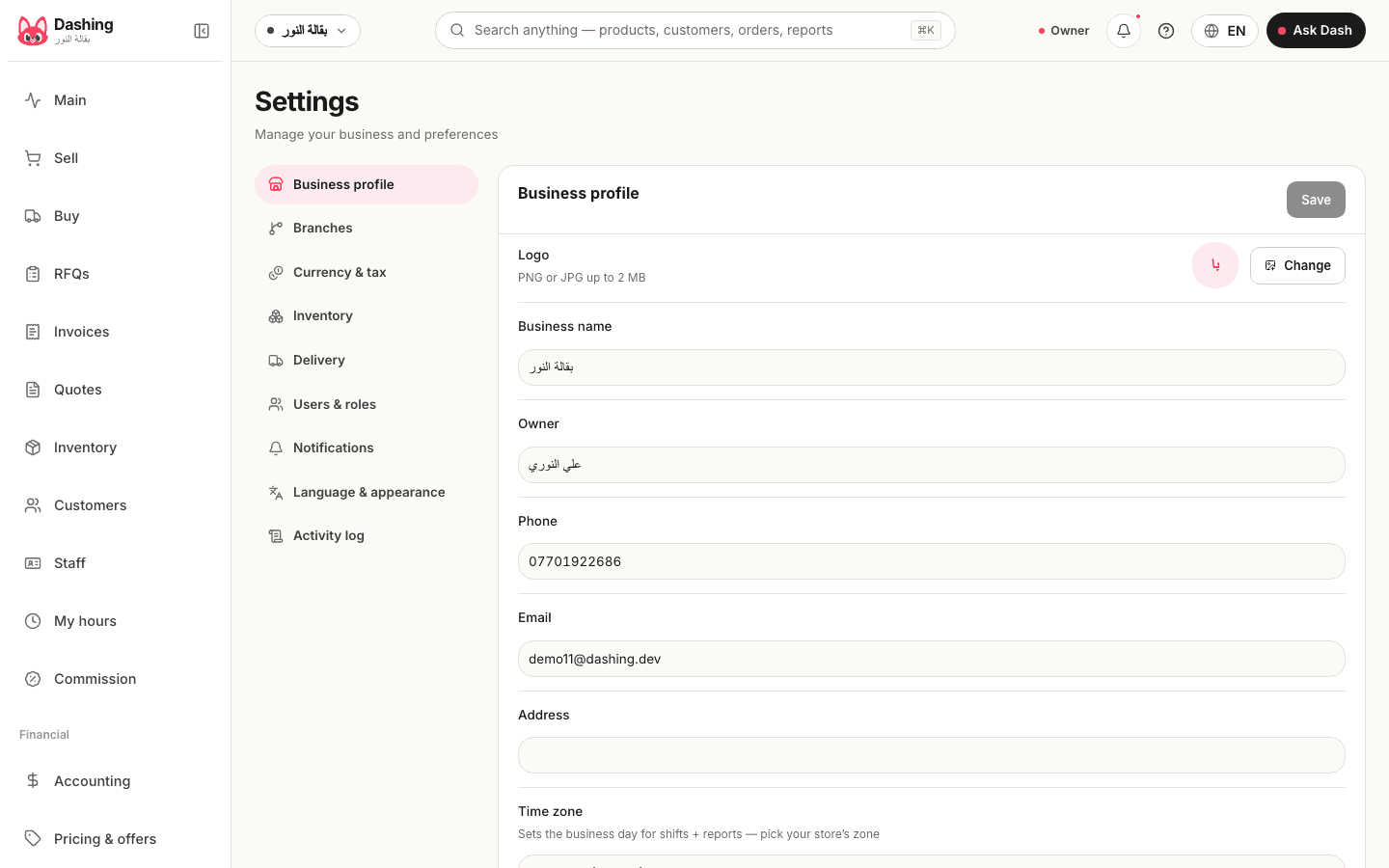
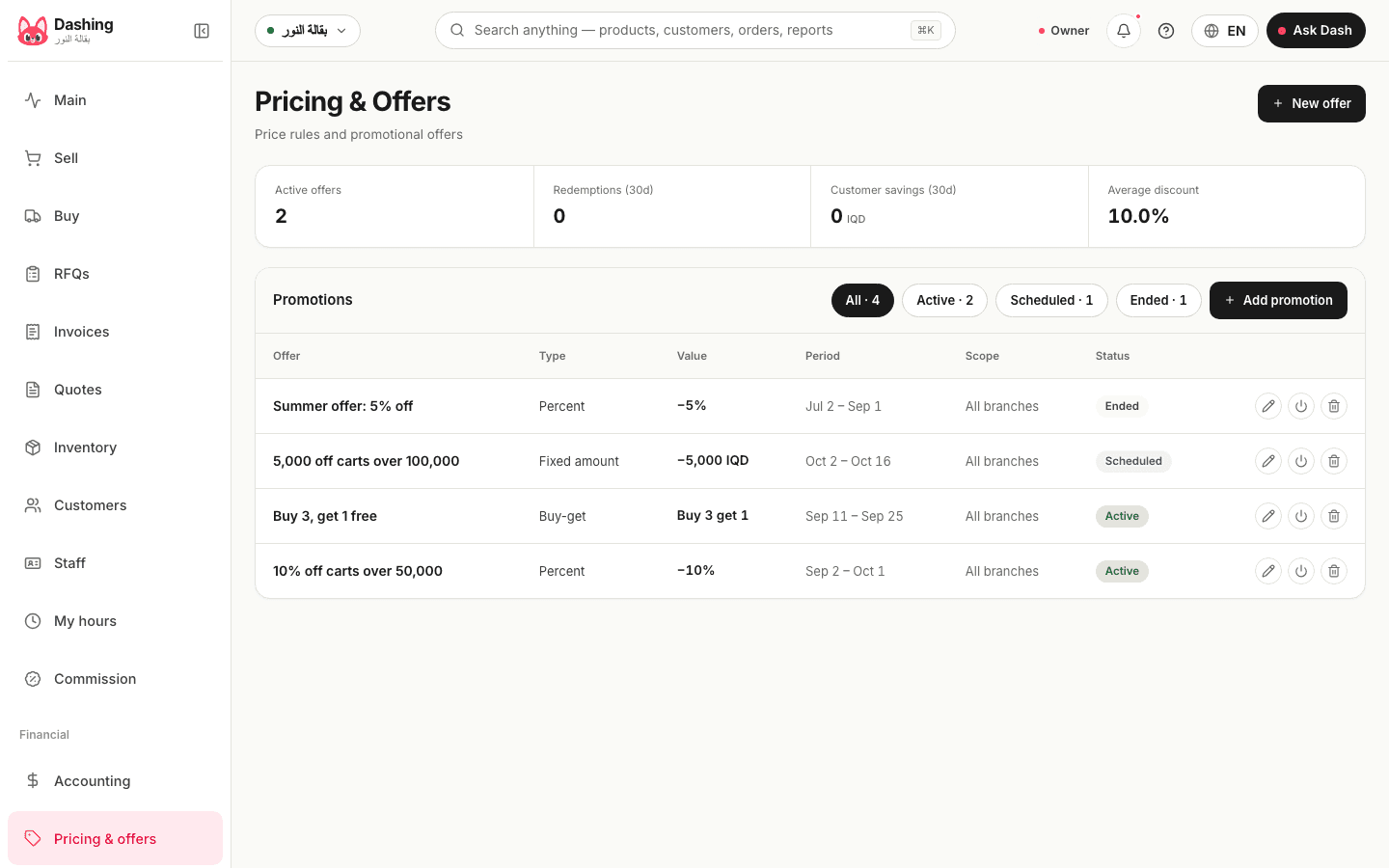
Pricing and promotions
Four offers at the sample shop: two active, one scheduled for October, one ended. Each is a percentage or an amount off the cart or buy 3 get 1, with a start and end date and a code the cashier can type when needed.
Read more about this screen