Setting up a till in Iraq: device, scanner and printer, no terminal
What you actually need to run a cashier in an Iraqi shop: a device with a browser, a keyboard-wedge scanner, an 80 mm thermal printer, and WhatsApp, with rough prices.
The Dashing team4 min read
The first thing a shop owner asks before the system: "so what do I buy?" The answer is shorter than expected: you most likely own the device already, and you need two cheap pieces. This guide says what is needed and what is not to run Dashing (داشنك) at the counter, with prices from Iraqi stores with their dates (rough), and they change.
1. The device: what you own is usually enough
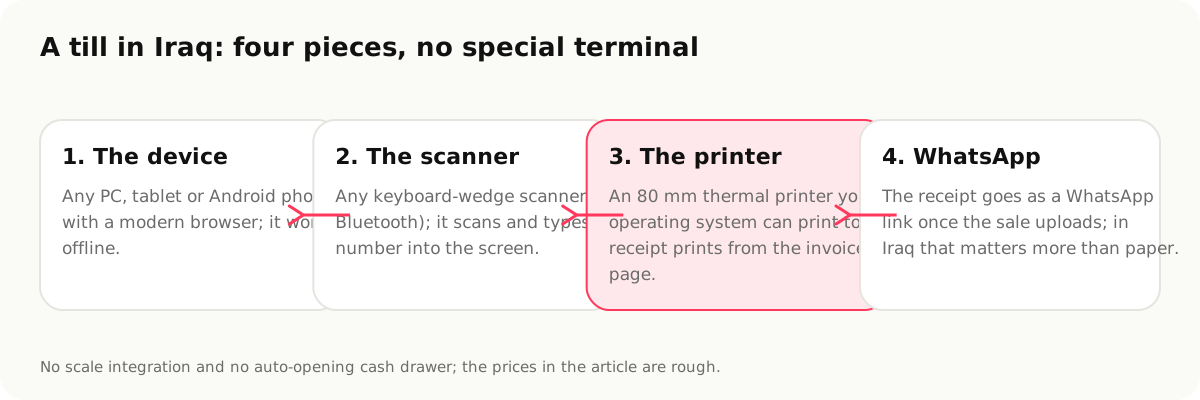
Dashing runs in the browser: any PC (Windows, Mac or Linux), tablet or Android phone with a modern browser (Chrome or similar). No special terminal and no software to install on the device. The sell screen can be installed as an app on the home screen from the browser if you like, and it works offline and uploads sales when the connection returns, how the offline cashier actually works explains the mechanics.
What to pick if you are buying?
- A 10-inch Android tablet if the counter is narrow and the cashier stands; add a stand to hold it.
- A used laptop if you have an accountant working on the same device; the bigger screen is easier for reports.
- A phone is enough for a kiosk, a stall or selling outside the shop, not for a busy counter.
The one requirement that matters: free storage on the device (a few hundred megabytes) for the catalogue and outage sales, and do not clear the browser's data.
2. The barcode scanner: any "keyboard" scanner
Any barcode scanner that works in keyboard mode (USB or Bluetooth): it scans the code and types it into the field as if you had typed it, then presses Enter. That is what every cheap scanner does, and it needs no driver and no setup in Dashing.
- A wired 1D scanner reads ordinary barcodes (EAN-13 on products): enough for most shops. 32,000 IQD at the ElRyan store (2026-09-14).
- A 2D scanner also reads QR codes (invoice and wallet codes, and some product codes): 71,500 IQD at the same store.
- Wireless helps if the shop is large and you scan cartons on the floor.
Tip: test the scanner on a bottle of water and on a badly printed sheet before buying it.
3. The 80 mm thermal printer
The receipt prints from the invoice page on any 80 mm thermal printer your operating system can print to, that is, one that installs as an ordinary printer (USB or network). An Xprinter XP-80T (USB and network, 200 mm/s) is 85,750 IQD at ElRyan (2026-09-14). 80 mm thermal paper is sold in rolls at any stationery shop.
What you do not need: an auto-cutter (a luxury) and a cash drawer that opens on a printer command (Dashing does not send the open command; a manual drawer is enough).
From a phone or tablet, printing also goes through the operating system: Android prints to a network or Bluetooth printer set up on it. The easier way on a phone: send the receipt as a WhatsApp link instead of printing; in Iraq many customers prefer it, and it works once the sale uploads.
4. Internet: any connection, even an intermittent one
A phone connection (4G) is entirely enough; selling does not need it at all, while reports, Dash and WhatsApp sending do. If the shop relies on shared neighbourhood internet, a data SIM in the tablet is the better fallback.
The full bill for one counter
| Piece | Needed? | Rough price |
|---|---|---|
| Device (tablet/PC/phone) | Yes, usually owned | 0 if you own it |
| Wired 1D barcode scanner | Yes for shops with barcodes | ~32,000 IQD |
| 80 mm thermal printer | If you want a paper receipt | ~86,000 IQD |
| Thermal paper | With the printer | cheap rolls |
| Manual cash drawer | Optional | varies |
| Electronic scale | No integration, the weight is typed or read from the scale's barcode | not needed |
| Bank POS terminal | From the bank/wallet | per provider |
In other words: a shop without a paper printer starts at 32,000 IQD, and with a printer at about 120,000 IQD, before any subscription. And Dashing's free plan is enough to start; the free plan page explains its limits.
What Dashing does not do with hardware
- No integration with electronic scales.
- No automatic cash-drawer opening.
- No connection to the bank's POS terminal to know the card went through.
- No native app in the app stores today; installation is from the browser.
Sources
- ElRyan, Xprinter XP-80T 80 mm thermal printer, 85,750 IQD, https://www.elryan.com/ar/c/electronics-computing-printer-accessories-printers (accessed 2026-09-14)
- ElRyan, wired 1D barcode reader, 32,000 IQD, and 2D reader, 71,500 IQD, https://www.elryan.com/ar/electronics/electronics-computing/electronics-computing-printer-accessories/electronics-computing-printer-accessories-scanners.html (2026-09-14)
- The offline cashier in Dashing, https://dashing.krd/en/features/offline (2026-09-14)
This article is also available in العربية · کوردی