Customers & debts
Adding a customer and setting a credit limit
Creating a customer from the customers screen or the till, setting the credit limit, price list and group, and what happens when a credit invoice exceeds the limit.
Verified against the product on 1 min read
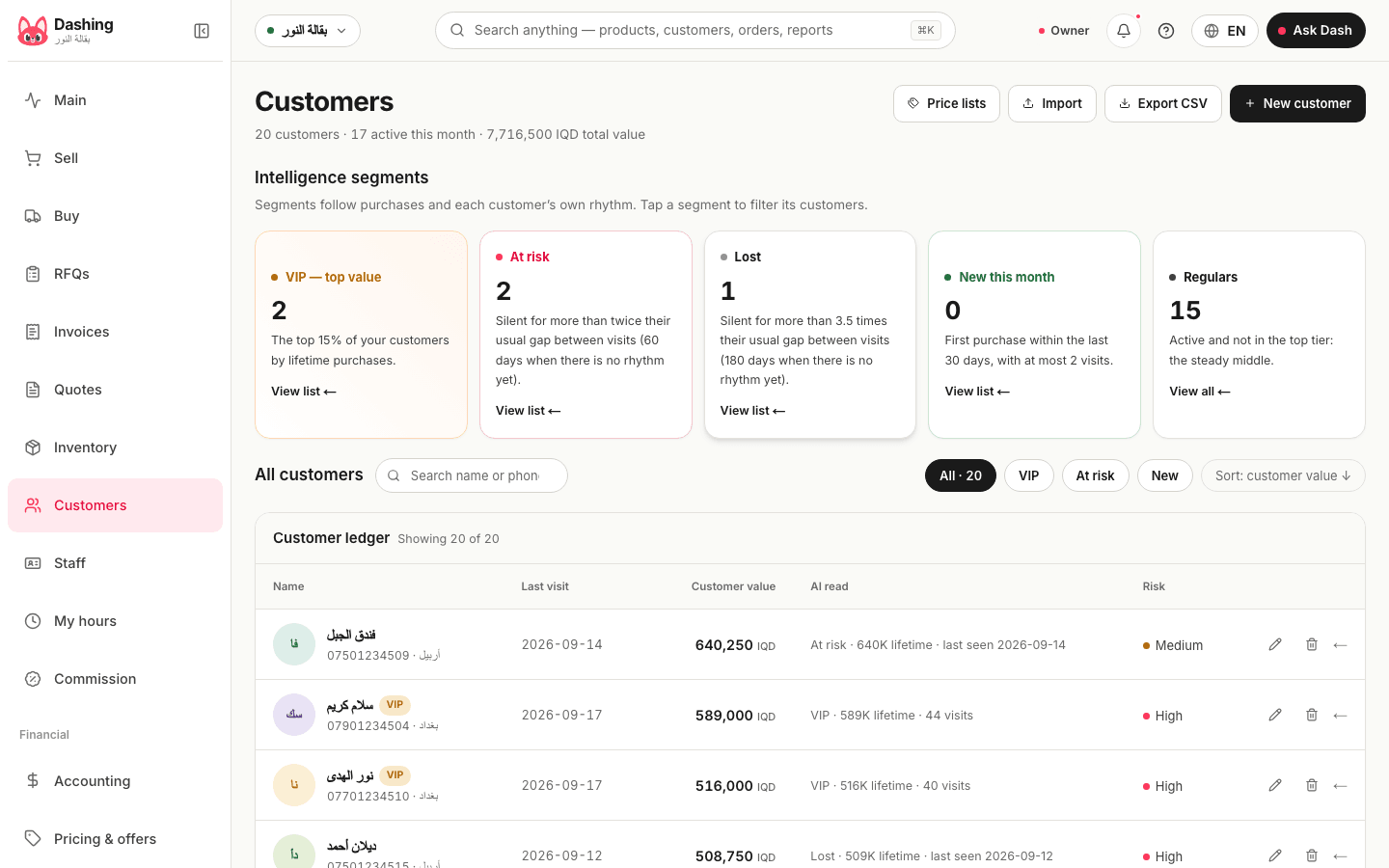
Steps
- Open "Customers" and press "New" (or from the till: "Add customer" during a credit sale).
- Enter the name and phone number (used to send the statement on WhatsApp), and the city if you like.
- Set the credit limit in dinars, or leave it at "No limit".
- Optionally: a "Price list" (say "wholesale") to re-price their cart automatically at the till, and the "Group / segment" that offers target.
- Save. The customer page shows the outstanding balance, the four aging buckets, the "Oldest unpaid invoice", and the "Collect payment" and "Account statement" buttons.
Notes
- To import a whole customer list: "Import customers" from a CSV file with name, phone and city columns (old balances are not imported).
- A customer file that is just one column of names with no header imports as is.
What the system does not do
It does not charge late interest, and it does not send reminders by itself; a reminder is a message you send from WhatsApp.
Common questions
- Can I sell to a customer with no credit limit?
- Yes, "No limit" means credit is never stopped. A realistic limit per customer, with an override permission for staff you trust, is better.
- What happens at the till when the limit is exceeded?
- The over-limit message shows the limit and what is available, and "Authorize as owner" or an override permission is required; the reason is kept in the audit log.
Was this page helpful?
In the same section
- Collecting a payment from a customer who owes youRecording a payment from the customer page with "Collect payment": amount and method (cash, card, transfer), allocated to invoices oldest-first.
- Issuing a credit or debit note for a customer or supplierWhen to use a credit note (reduce what a customer owes) or a debit note (raise it), and how to issue one from the customer or supplier page.
- Sharing a customer's account statement on WhatsAppFrom the customer page: "Account statement" then "Share" opens WhatsApp with a secure link valid for 30 days showing invoices, payments and the balance.
This page is also available in العربية · کوردی
Read also
Did not find what you needed? Message us on WhatsApp